Newsletter Sender: a deep dive
 Paul O'Brien · 6 min read
I've written about Newsletter Sender in bits and pieces over the last couple of weeks, mostly in between everything else going on. It deserves a proper write up of its own, so here it is: what it is, why it exists, how it works under the bonnet, who I think it's for and how it stacks up against Sendy, the app I used for years before it.
Contents
- Why I built it
- How it works
- A tour of the app
- Who it's for
- Newsletter Sender vs Sendy
- What it costs to run
- What it isn't
- Getting started
Why I built it
In a previous life I founded a self service email marketing platform. It did well, right up until our upstream provider was sold and its resellers were given 48 hours' notice. That stung, and it taught me a lesson I've never forgotten: if your list lives on somebody else's platform, it's only ever borrowed.
Twelve years later I was auditing my domains and realised I still owned newslettersender.com. By that evening I'd decided to build the platform again, properly this time, and in a way where nobody could pull the rug out from under anyone. The answer was to make it something you run on your own Cloudflare account, sending through your own email provider. No middleman, no reseller chain, no platform between you and your subscribers.
How it works
Newsletter Sender is one Cloudflare Worker, plus a handful of Cloudflare services that come with your account:
- D1 holds your lists, subscribers, campaigns and stats.
- Queues do the sending, with up to 20 senders working at once, so a big send goes out as fast as your email provider allows.
- R2 stores your images and the nightly backups, with 30 days kept.
- Cron triggers run every minute to start scheduled campaigns and automations, so there are no cron jobs to set up yourself.
- Turnstile keeps bots off your sign up forms without any puzzles.
The emails themselves go out through your own Amazon SES, Postmark, Mailgun, Brevo or Resend account. That matters more than it sounds: your sending reputation is yours, built on your domain, and it comes with you if you ever move.
Installing it means deploying to Cloudflare and following the setup guide. The database sets itself up the first time it starts, and updates are a button in Settings. There's no server, no PHP, no MySQL and nothing to patch.
A tour of the app
Here are the parts I use most, all shown with the example bakery I use for testing.
Writing. The editor is a clean visual editor that takes formatted text pasted from Word or Google Docs without making a mess of it. You can switch to raw HTML or upload a finished design. Before anything goes out, a check looks for broken links, missing images, empty preview text and a missing unsubscribe link.
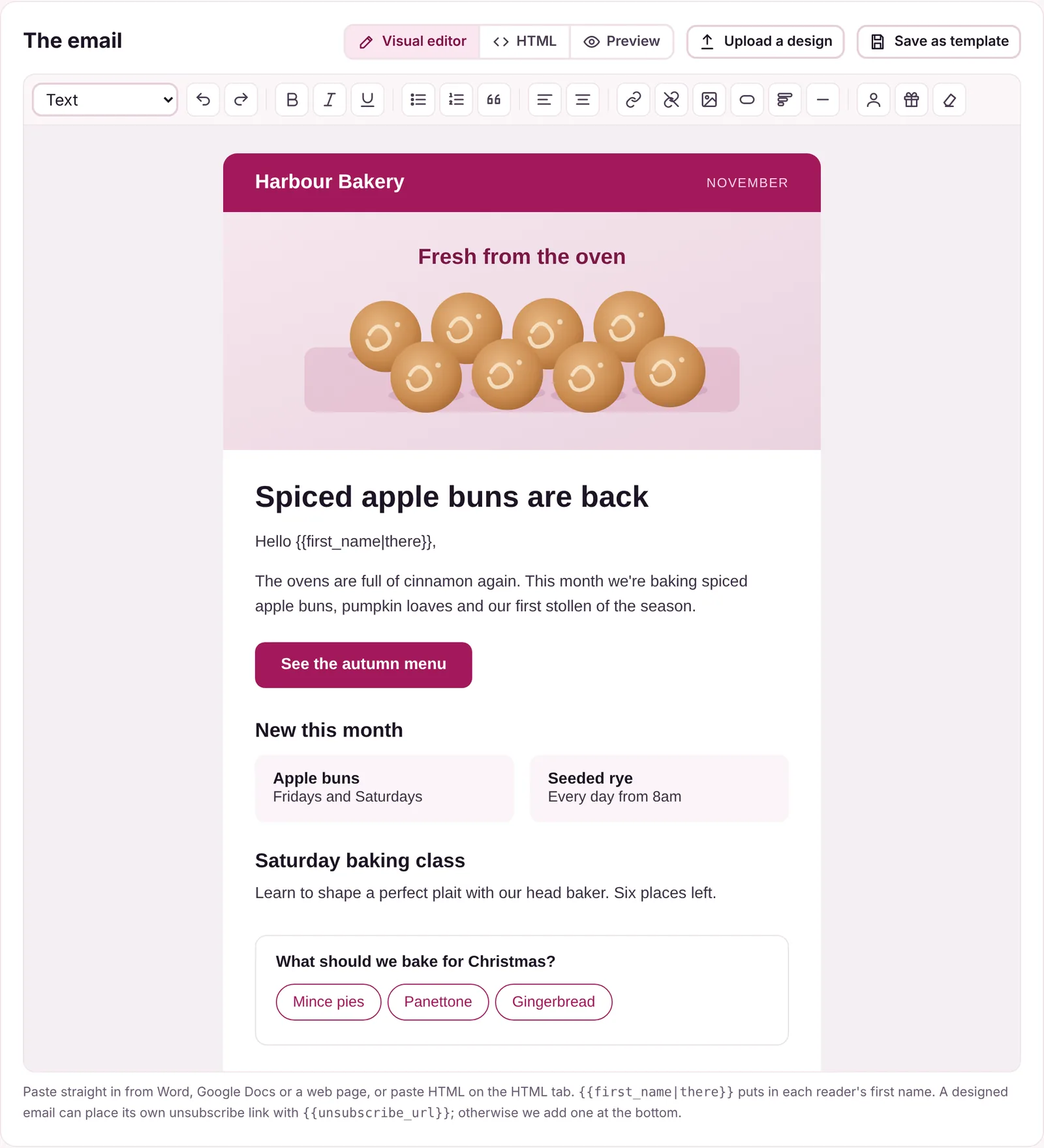
Sending. Send now, schedule it, or split test two subject lines on a slice of your list and let the winner go to everyone else. You can pause a send part way and carry on later, and send again to the people who didn't open, with a different subject line.
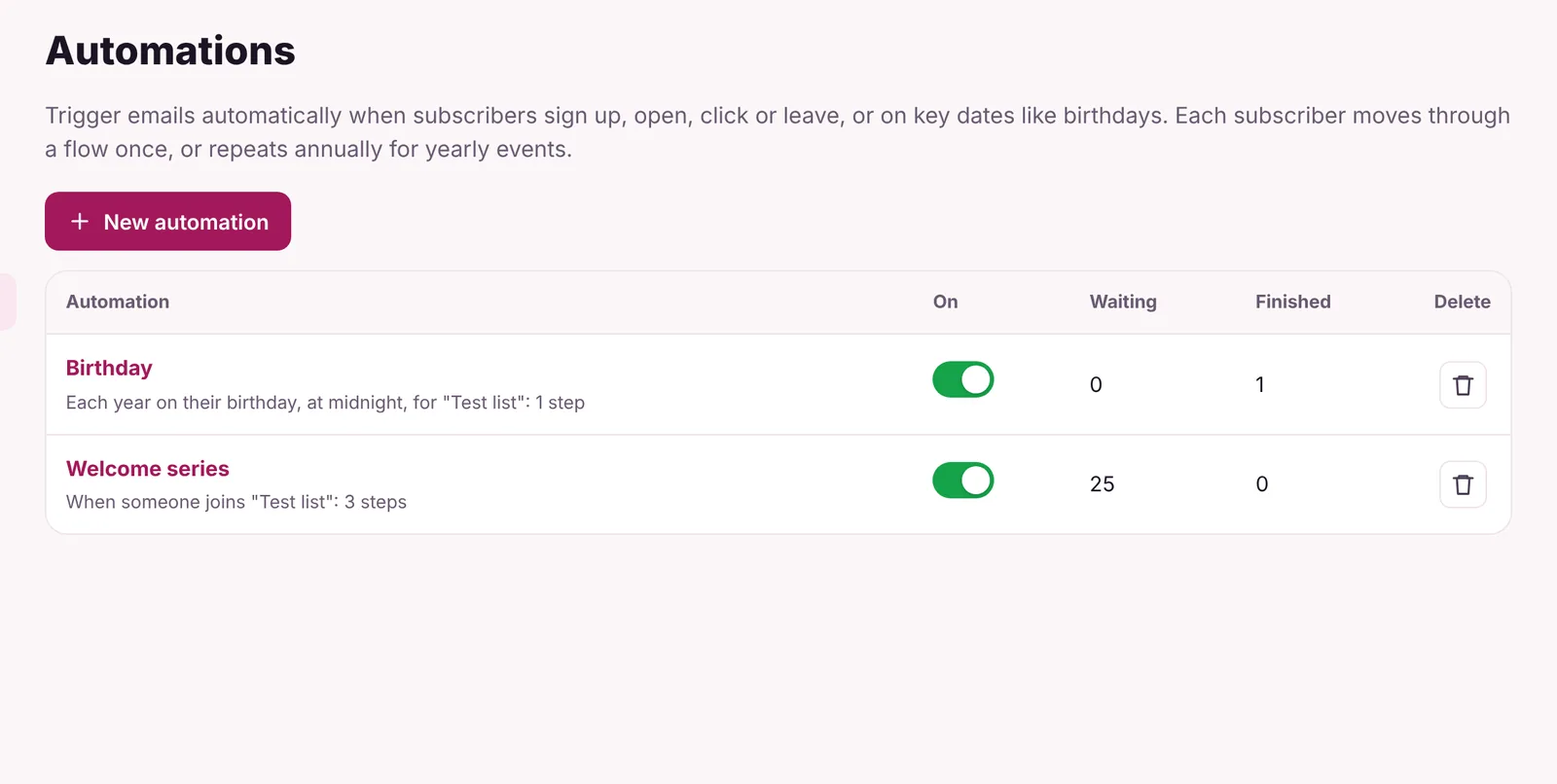
Automations. Welcome sequences, drip courses and emails on a date, such as a birthday or a renewal. They start when someone joins, opens or clicks.
Growing your list. Hosted sign up pages, forms to paste into your own site and a pop up, all with double opt in. Every reader gets a referral link, with rewards sent automatically at milestones you choose, and you can drop a one click poll into any newsletter.
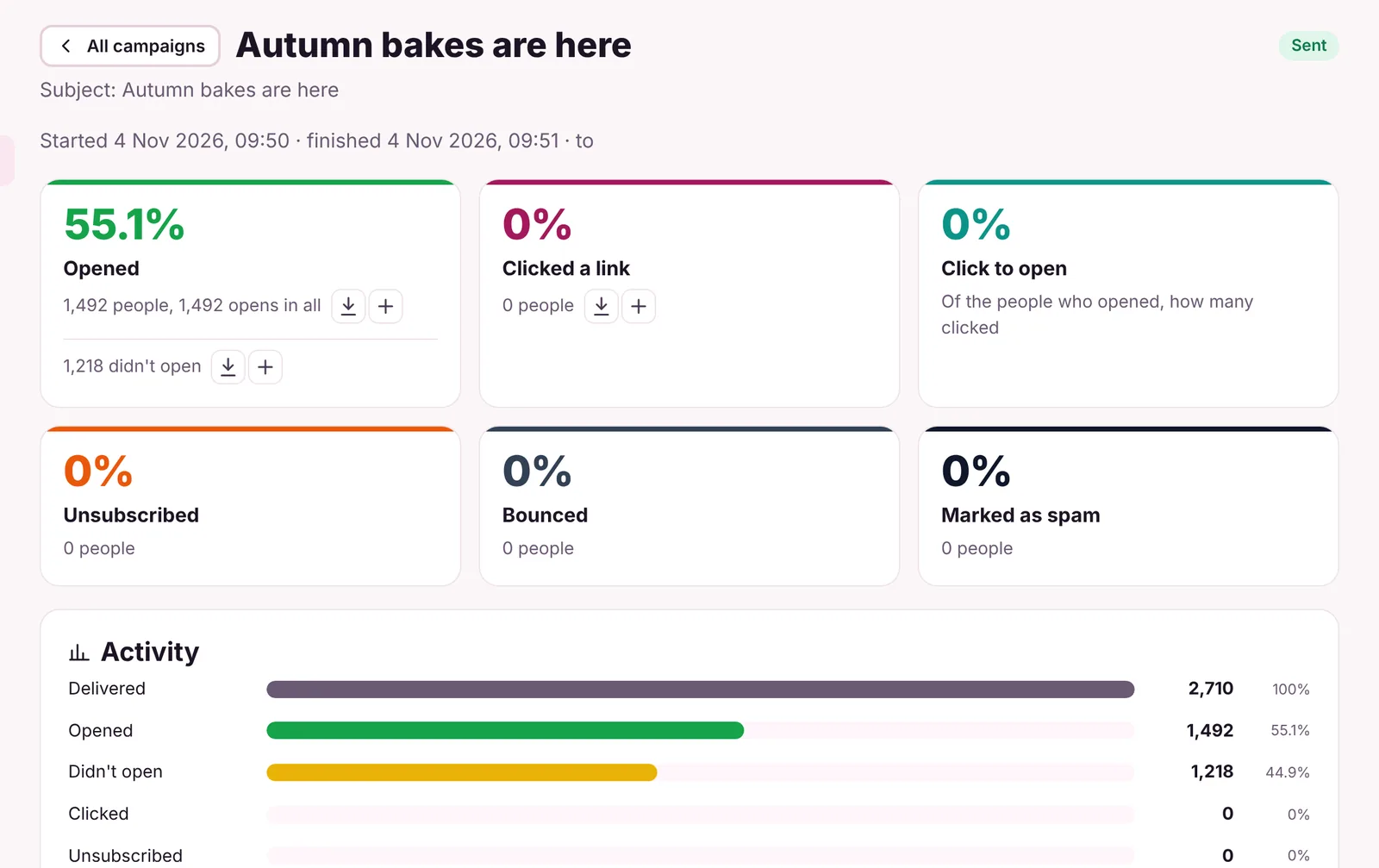
Reports. Opens, clicks link by link, where readers are and a PDF summary for each campaign, plus list growth over 30 days, 90 days or a year. Open and click tracking is off until you turn it on, which I think is the right way round.
Looking after your reputation. This is the bit I care about most. Hard bounces and spam complaints are suppressed for good. Sending pauses on its own if bounces or complaints start to climb. With Amazon SES it won't let you do a full send while you're still in the sandbox, and it holds a send that would go past your daily quota. Every email carries one click unsubscribe headers, so you're on the right side of Gmail and Yahoo's rules.
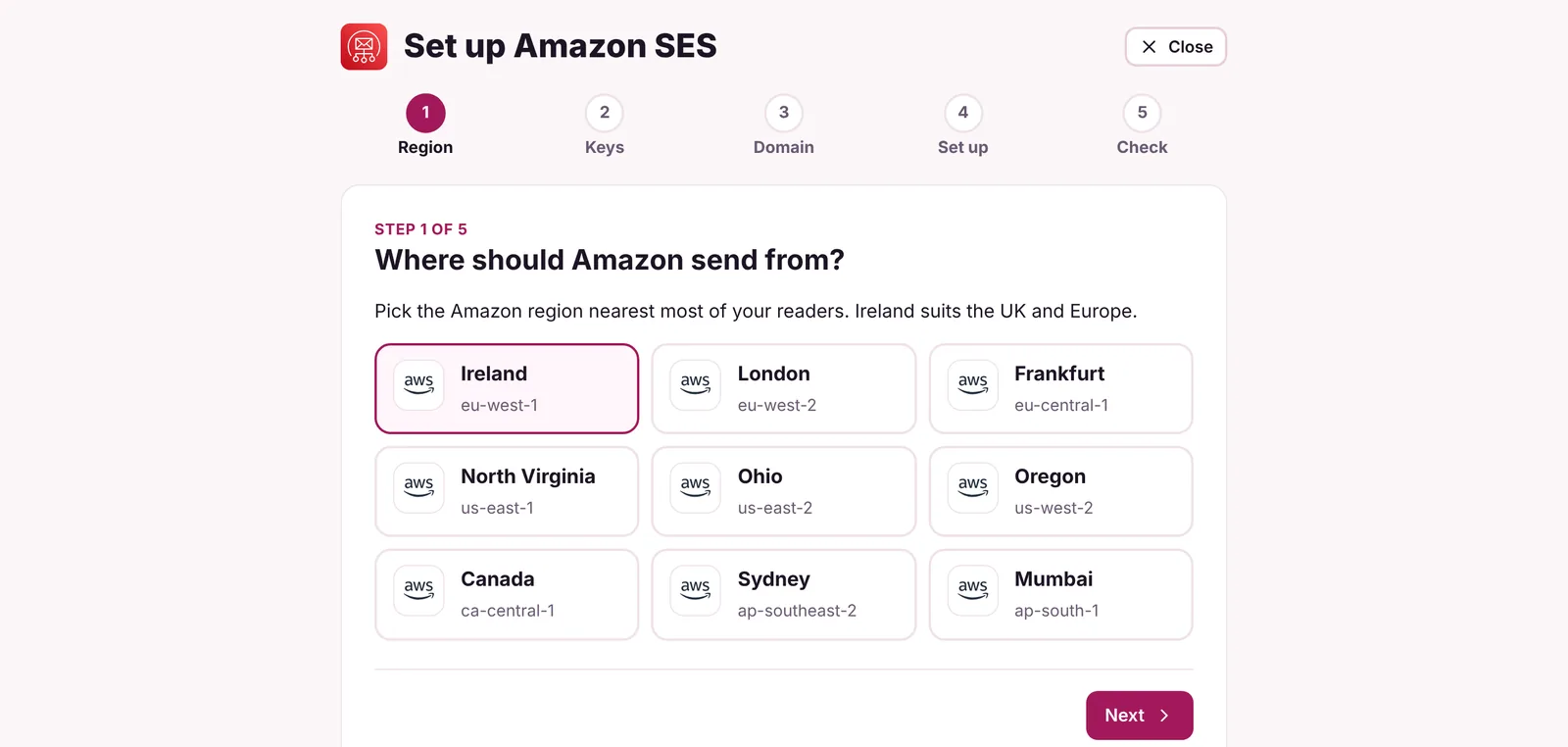
Amazon SES setup. SES is brilliant once it's running, but setting it up has always been the fiddly part. The wizard creates your Amazon keys, adds the DNS records to Cloudflare and asks Amazon to take you out of the sandbox.
Who it's for
Writers and creators. If you publish a newsletter and you're tired of your bill going up every time someone subscribes, this is for you. Your list is yours, and a web archive and RSS feed of past issues come built in.
Small and growing businesses. Customer newsletters, onboarding emails, renewal reminders and the odd survey, without paying more each month as the list grows.
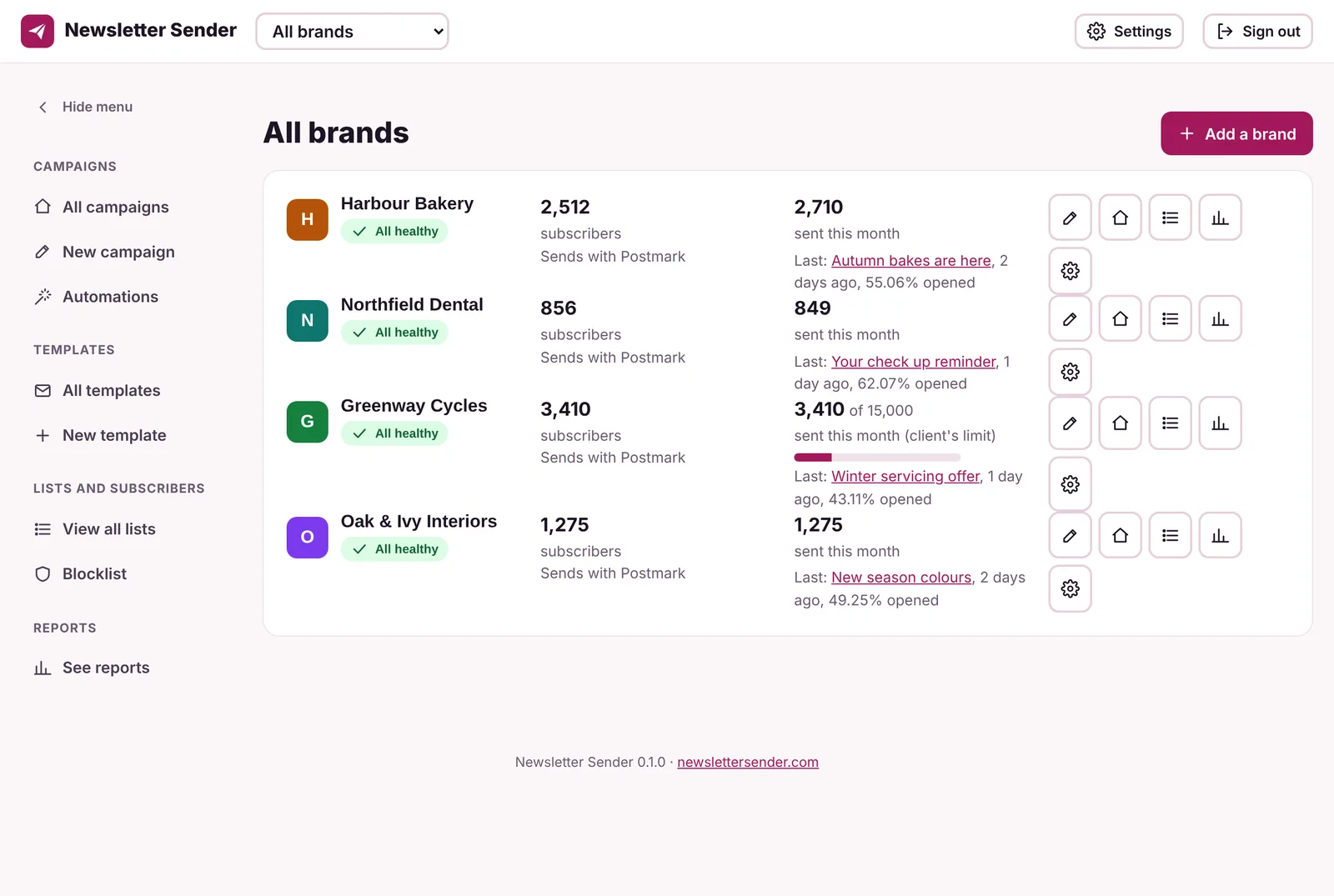
Agencies and freelancers. The Agency edition runs every client from one install. Each brand has its own lists, its own sending account and its own monthly limit, and clients get their own login that only shows their brand. I built it for the kind of reseller business I used to run.
Anyone moving from Sendy or Mailchimp. It reads your audiences straight from Mailchimp, takes CSV files from Sendy, Substack, Kit and others, and brings past unsubscribes and bounces across so they're never emailed again.
Newsletter Sender vs Sendy
I used Sendy for years and I have a lot of time for it. It proved you could own your list and send through Amazon SES for a fraction of what the big platforms charge. Where it shows its age is everything around it: the server, PHP, MySQL, cron jobs and uploading files to update it.
| Sendy | Newsletter Sender | |
|---|---|---|
| Where it runs | A server or shared hosting with PHP and MySQL | Your own Cloudflare account, no server |
| Installing | Upload files, create a database, edit config.php | Deploy to Cloudflare, the database sets itself up |
| Updates | Download a ZIP and upload it over FTP | An Update button in Settings |
| Scheduled sends | Cron jobs you set up on the server | Built in |
| Big sends | Limited by your server | Up to 20 senders at once through Cloudflare Queues |
| Backups | Your own database dumps | Nightly, 30 days kept |
| Sending services | Built around Amazon SES | Amazon SES, Postmark, Mailgun, Brevo and Resend |
| Security patches | Yours to do | Cloudflare runs the platform |
If you already run a server and you're happy looking after it, Sendy is still a solid choice. If you'd rather never think about a server again, that's exactly why Newsletter Sender exists. There's a full Sendy comparison on the site, plus ones for Mailchimp and listmonk.
What it costs to run
You pay Cloudflare and your email provider directly. Sending needs Cloudflare's Workers Paid plan, which is $5 a month, and Amazon SES charges $0.10 for every 1,000 emails. Four newsletters a month to 10,000 people comes to about $9 all in. When I load tested it with 100,000 pretend subscribers, Cloudflare sent me a slightly alarming email about database use and my bill stayed at $0.
The Solo edition, for one brand, costs nothing. The Agency edition is a one off licence that includes a year of updates and email support, and it keeps working after that.
What it isn't
To be fair about it, Newsletter Sender isn't for everyone.
- It isn't a hosted service. You need a Cloudflare account and a sending account, and you'll be the one setting them up, although the guides and the SES wizard do most of the work.
- Amazon reviews every request to leave the SES sandbox, and that can take a little while. If you're in a hurry, Postmark, Mailgun, Brevo or Resend usually approve accounts faster.
- It doesn't do SMS, online shop integrations or a drag and drop template marketplace. If you need those, a hosted platform will suit you better.
Getting started
Everything you need is on newslettersender.com. Start with the setup guide, then the Amazon SES guide or the guide for whichever provider you prefer. If you're thinking about the Agency edition, or you'd like a hand moving a big list across, get in touch. I'd love to hear what you're sending.
As always, sharing the love.