
Site Watch, coming soon
Know when it breaks, before your customers do.
Site Watch checks your websites, certificates, domain renewals, mail servers and scheduled jobs, and tells you the moment something stops working. It runs in your own Cloudflare account, on Cloudflare's free plan.
Free for personal and small business use, up to 10 websites. Source available.
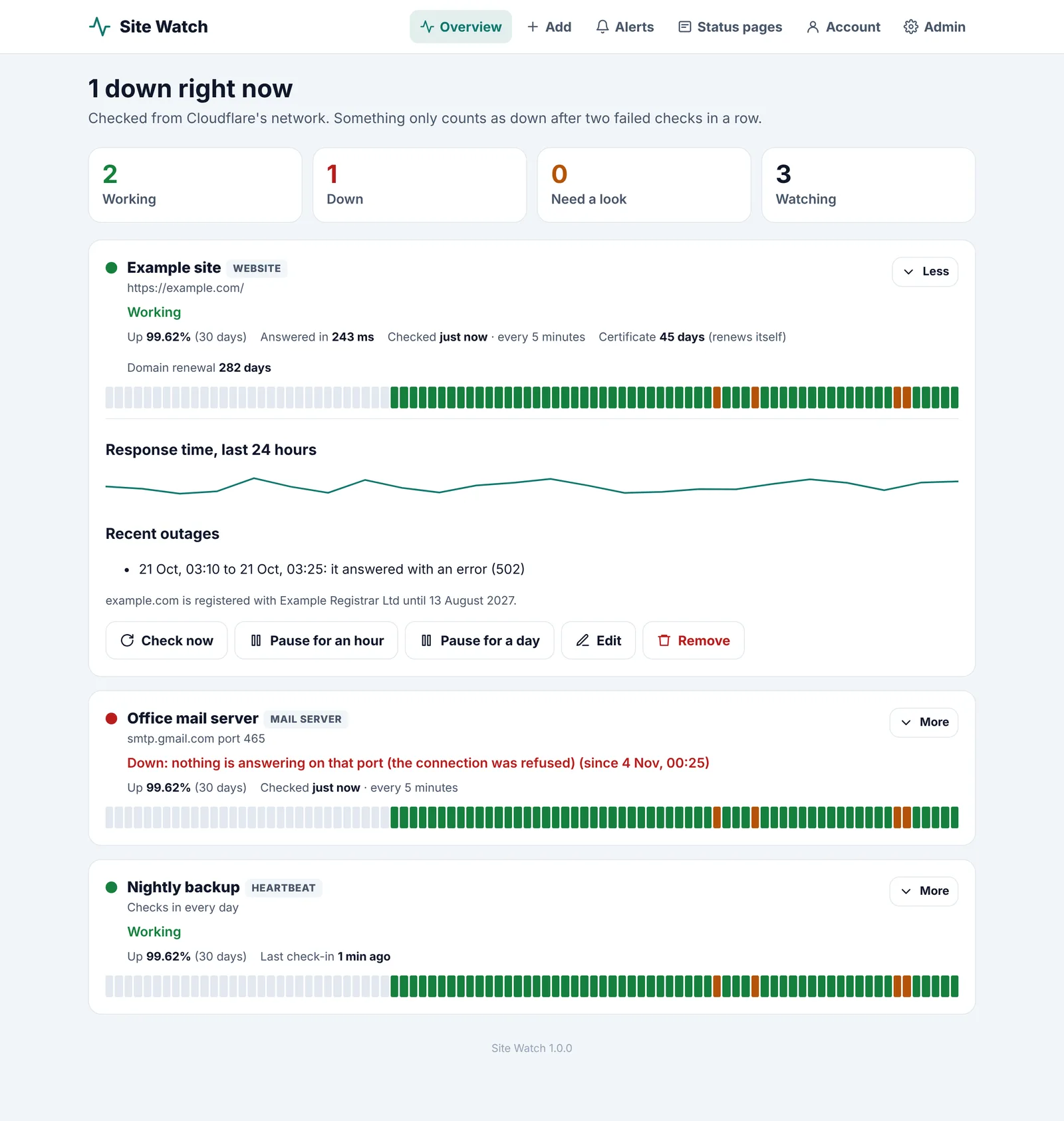
// how it works
Set up in three steps.
You need a Cloudflare account (free). That's all.
Install it
Run the installer, or click Deploy to Cloudflare. It makes its own database.
Make your account
Open your one-time set-up link and choose your password.
Add what to watch
Paste a web address or a server name. It's checked straight away.
// features
Everything you need to sleep at night.
Checked from Cloudflare's network, every minute if you like.
Websites
- Every 1 to 60 minutes. Down only after two failed checks in a row, so one slow answer doesn't wake you.
- Your own rules. Words the page must or mustn't contain, the status code and a time limit.
- Response times. The last 24 hours as a line, and 90 days of daily bars.
Certificates and domains
- Certificates. Reminders before one runs out, or only when a self-renewing one is late.
- Domain renewals. The date from the registry, with reminders 30, 7 and 1 days before.
Servers and jobs
- Mail servers. Checks yours answers and offers encryption. It never signs in.
- Any port. SSH, a database or anything else that should answer.
- Heartbeats. Your backup visits its own address when it runs. Miss one and you'll know.
Alerts
- Email, Slack, Teams, Google Chat, Discord or webhook. Pick as many as you like.
- No floods. Something going up and down gets one alert, and a daily cap is the safety net.
- Pause. For maintenance, for an hour or a day.
Status pages
- Public pages. Working or not, 90 days of history and your notices.
- Your own domain. Such as status.yourdomain.com. Only the names you choose are shown.
Your brand
- Your name, logo and colour. On the app, status pages, emails and chat alerts.
- Sell to clients. Optional: clients sign up and pay you with your own Stripe account.
// screens
See it working.
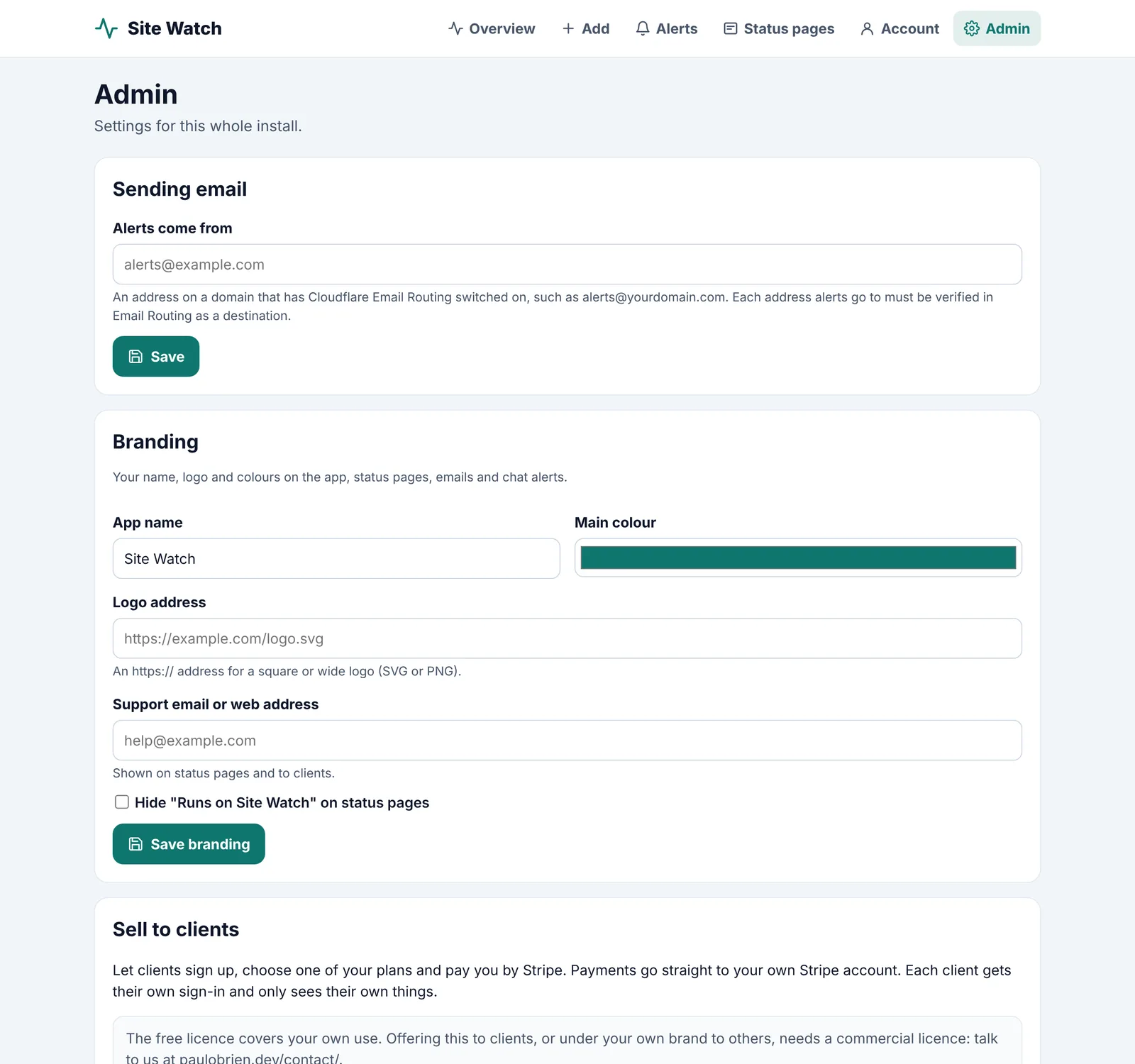
Your brand, your plans and your clients, on the Admin tab.
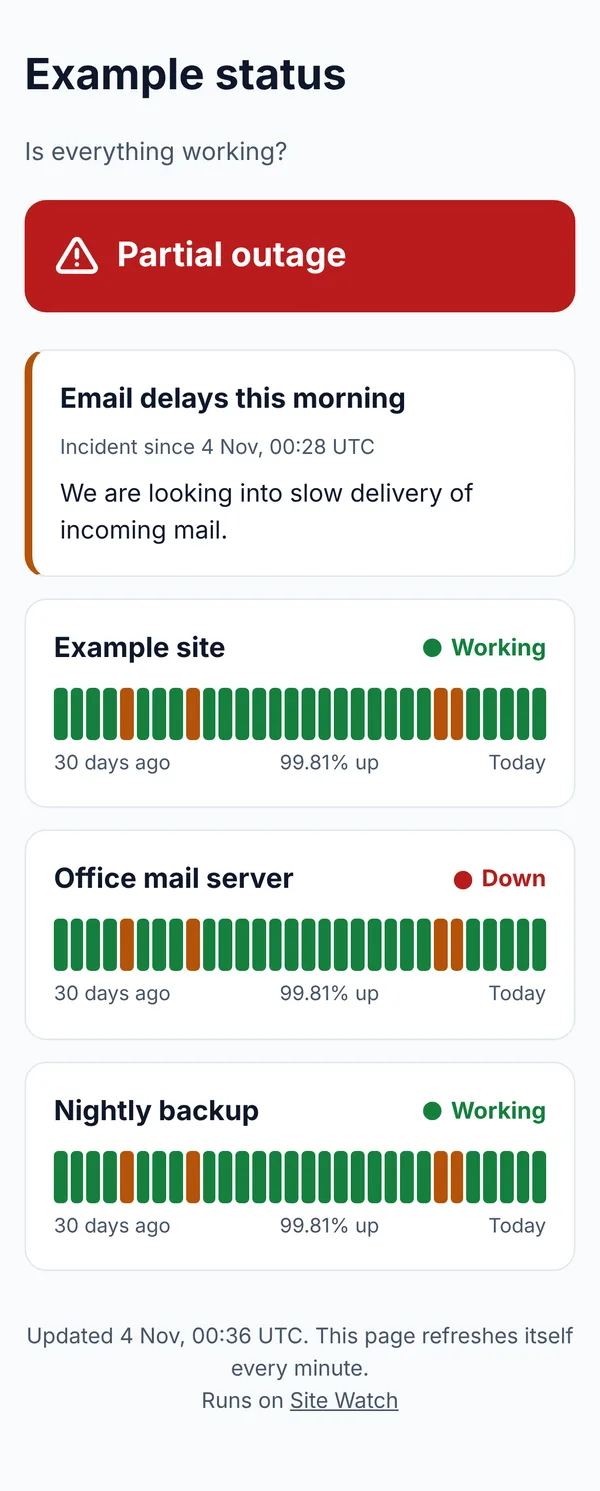
A public status page.
// agency or host?
Offer it to your clients.
Put Site Watch under your own name, logo and colours, and let clients sign up and pay you through your own Stripe account. Each client gets their own sign-in and status pages. Payments go straight to you.
Using Site Watch for clients needs a commercial licence. Let's talk
// get it
Three ways to install.
Pick whichever suits you. Every way installs into your own Cloudflare account, and updating later keeps everything you've set up.
npx @mrpwob/site-watch helpnpx @mrpwob/site-watch setup
// built with
What's under the hood.
Everything runs on Cloudflare's developer platform, in your own account.
- Cloudflare Workers
- D1
- Cron Triggers
- Email Routing
- TypeScript
// questions
Questions.
Is it free?
Yes, for one person or organisation's own websites, up to 10, with their mail servers and scheduled jobs. There's no licence key and nothing stops you: we trust you. You only pay Cloudflare if you go past their free plan, which 10 websites checked every five minutes won't.
Is it open source?
It's source available under the Business Source License: you can read every line, change it and run your own copy. Each version becomes Apache 2.0 four years after it's released.
What needs a commercial licence?
Going over 10 websites, running it for clients or other people, or offering it as a hosted, managed or white-label service. Get in touch through the contact page and choose Let's work together.
Where do I get help?
Bugs and questions go in GitHub issues, where everyone can find the answers. For anything else, use the contact page.
Does my data come to you?
No. Everything runs in your own Cloudflare account. I never see your websites, alerts or clients.
Stay in the loop
Subscribe for updates.
Leave your email and I'll tell you when there's a new version of one of my apps, or a new project to try. Nothing else.