Instant alerts for JMAP Connect, and Mail App now speaks JMAP
 Paul O'Brien · 3 min read
Evening all,
Another full day, and once again it’s nearly all email. JMAP Connect took up most of it, and I have to say it’s coming along nicely.
JMAP Connect is with Apple
Last night I sent JMAP Connect 1.0 to Apple for review, for Mac, iPhone and iPad. This morning Apple came back asking for more information on the iPhone version, so I recorded my screen showing the app in use and sent it straight back. Both are now waiting for review, so fingers crossed.
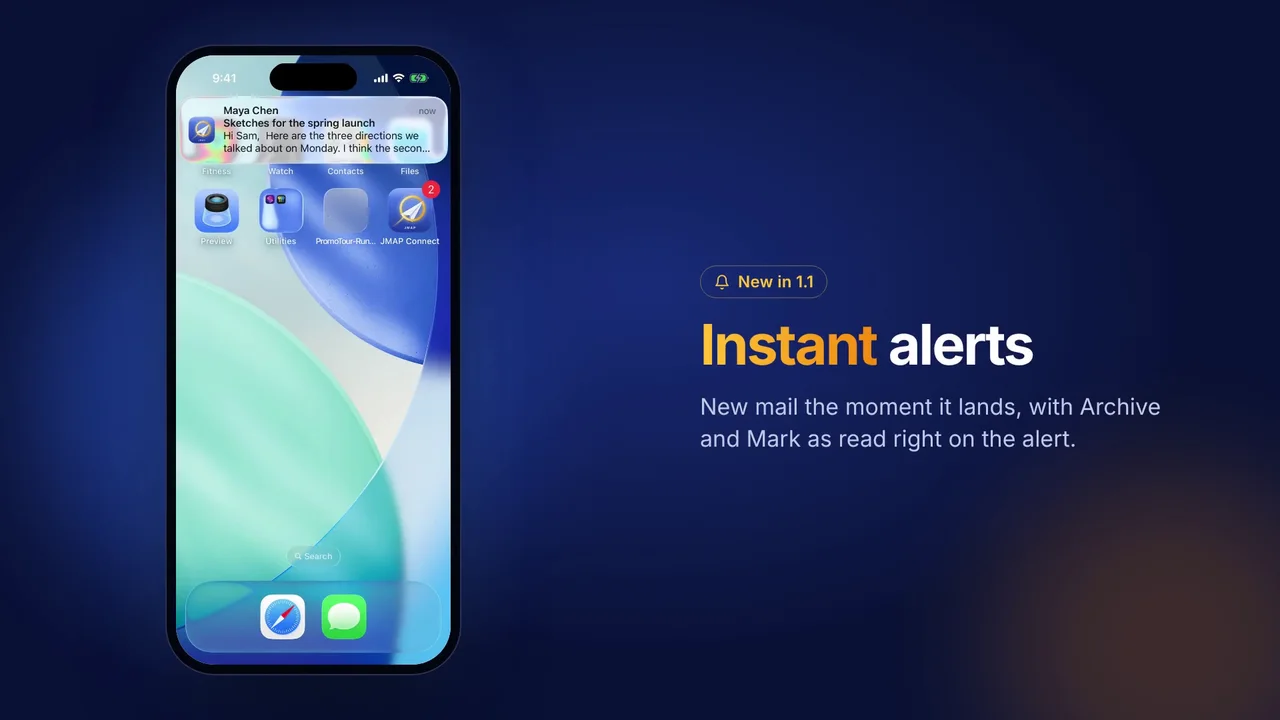
Instant alerts
This was the big one today. I wanted new mail to show up on your iPhone the moment it lands, even when the app is closed, and not a few minutes later. This morning I tested whether Fastmail would tell us about new mail straight away. It did, within about seven seconds of an email being sent.
So we built it. Fastmail sends a small encrypted nudge to a relay of ours on Cloudflare, the relay wakes your iPhone, and the phone fetches the sender and subject from Fastmail itself. The relay never sees your email. I’ve had it running on my own iPhone this afternoon, with the app closed, and the alerts come through with the sender and subject, plus Archive and Mark as read right on the alert. They show on an Apple Watch too.
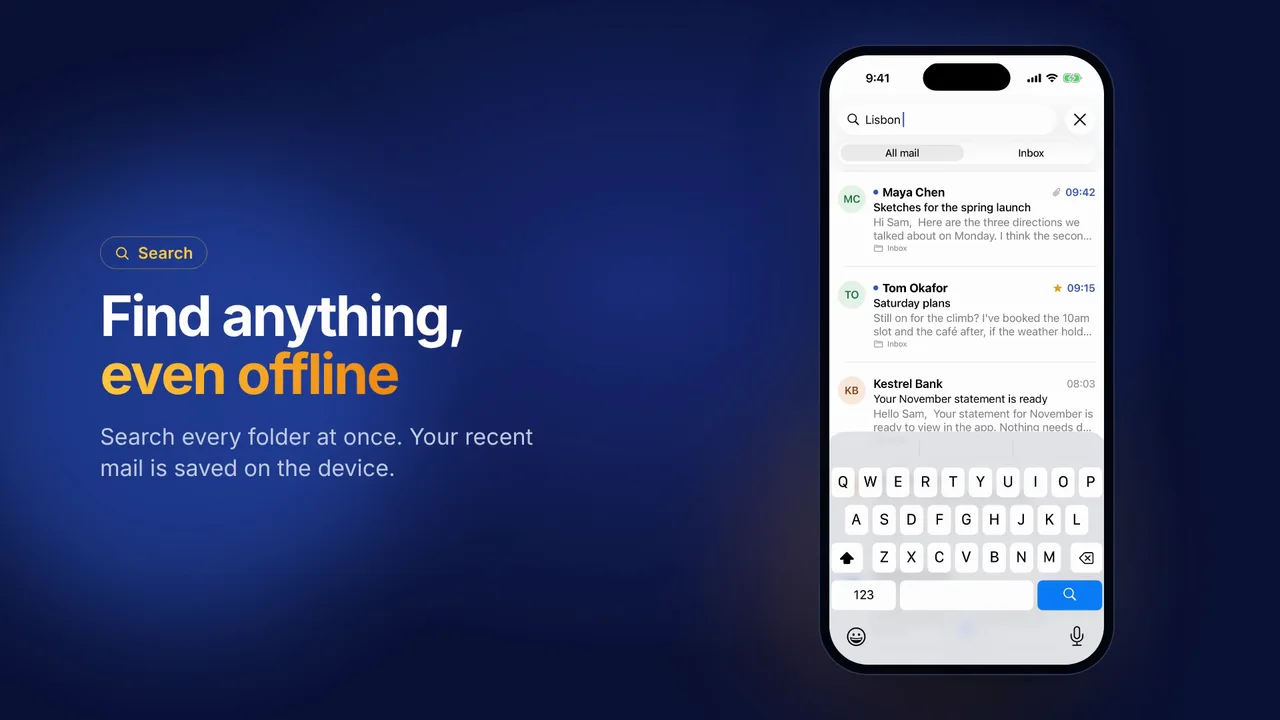
It’s held back from the first release while I test it properly, and it will come in 1.1 alongside offline mail and search, Masked Email and labels. It will be a switch in Settings, off until you turn it on.
I’m already testing 1.2 as well, with Send later, Out of office, one tap unsubscribe, address suggestions from your Fastmail contacts and a proper Apple Watch app with your unread count on the watch face.
A promo video and a page on Apple Mail
There’s now a one minute promo video on the JMAP Connect home page. It’s all real footage of the app on Mac and iPhone, running on sample mail, with its own music. I love it.
I’ve also added a page comparing JMAP Connect with Apple Mail for Fastmail users, as it’s the first question most people ask. Thank you to everyone who has signed up to the launch list too. I’ll email you the moment it’s on the App Store.
More than just Fastmail
Someone on Mastodon asked whether JMAP Connect would work with Stalwart, which got me thinking. The website already lists Stalwart, Thundermail, Mailbux and Cyrus as coming later, so I’ve started on support for all four. Fastmail comes first, and each one will follow as an update once I’ve tested it properly.
Mail App now speaks JMAP
Two more Mail App releases today.
- 2.5. You can now change an API key’s name, what it can do and which mailboxes it covers, without making a new key. A key can also cover all mailboxes, including ones you add later. The Outlook bridge picks up new mailboxes on its own now too.
- 2.6. Mail App now speaks JMAP, the modern standard for mail apps. Any app that lets you type in a JMAP server can read, search, file, flag and send from your mailbox, and it hears about new mail within about 10 seconds.
Bits and bobs
- ReaderCount. The ReaderCount app no longer flashes a brief “couldn’t reach ReaderCount” warning when you open it.
- New on paulobrien.com. How to move from Google Workspace to Fastmail, a step by step guide, went out this morning.
That’s me for today. Speak soon.