Mail App goes open source, and meet JMAP Connect
 Paul O'Brien · 3 min read
Evening all,
There really is a lot to talk about today. Most of it is email, which won’t surprise anyone who reads these posts, and it’s been one of the busiest days I’ve had in a long time.
Mail App is now open source
The big one first. Mail App is now open source, under the AGPL 3.0 licence. There are no limits on domains or mailboxes and no per seat fees. You install it on your own Cloudflare account and it’s yours. Help is on GitHub, and if you’d like something built specially for you, get in touch through my contact page. My other apps stay as they are.
The Mail App page has had a bolder new look to go with it, and I’ve brought the Mailflare comparison up to date. I also worked through 13 security alerts that GitHub’s code scanning had flagged, and they’re all fixed.
Three releases in one day
I don’t think I’ve ever shipped three versions of anything in a single day, but here we are.
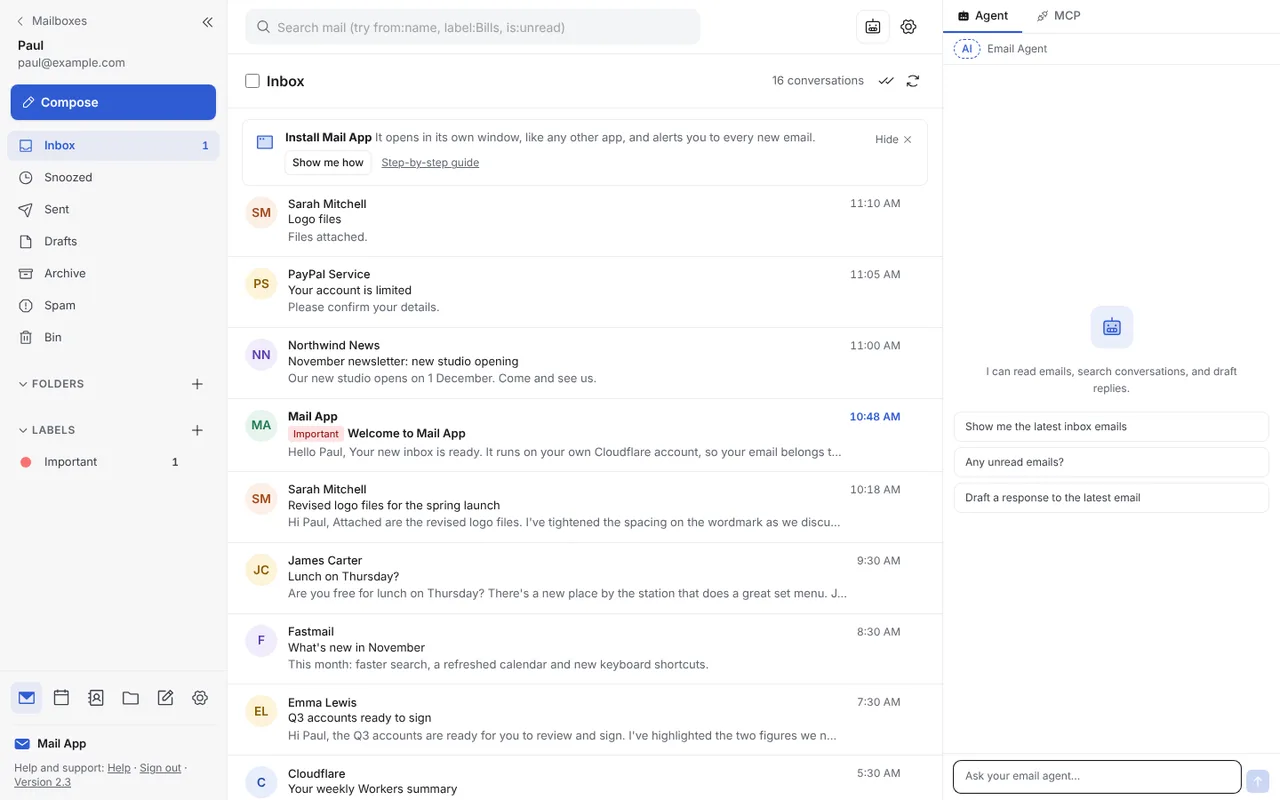
- 2.2, a safer, tidier inbox. Each email now shows whether the sender was verified, and look-alike addresses such as paypa1.com get a clear warning. Newsletters get an Unsubscribe button at the top, the Bin and Spam can empty themselves after however many days you choose, and you can type a quick reply right under an email.
- 2.3, a clean new look. A calmer design in a new blue, with more room to read and each sender’s initials in the list. There’s dark mode too, which follows your computer or phone. Inbox rules can now bounce an email back to the sender, and it’s turned away as it arrives, so nothing is ever sent from your address.
- 2.4, Mail App in Outlook. Someone using Mail App asked if they could keep using classic Outlook on Windows, so now they can. Install Mail App Bridge, choose IMAP or POP3, and read status, flags, folders, moves and deletes stay in step both ways. The Outlook section on the Mail App page explains how it works.
Meet JMAP Connect
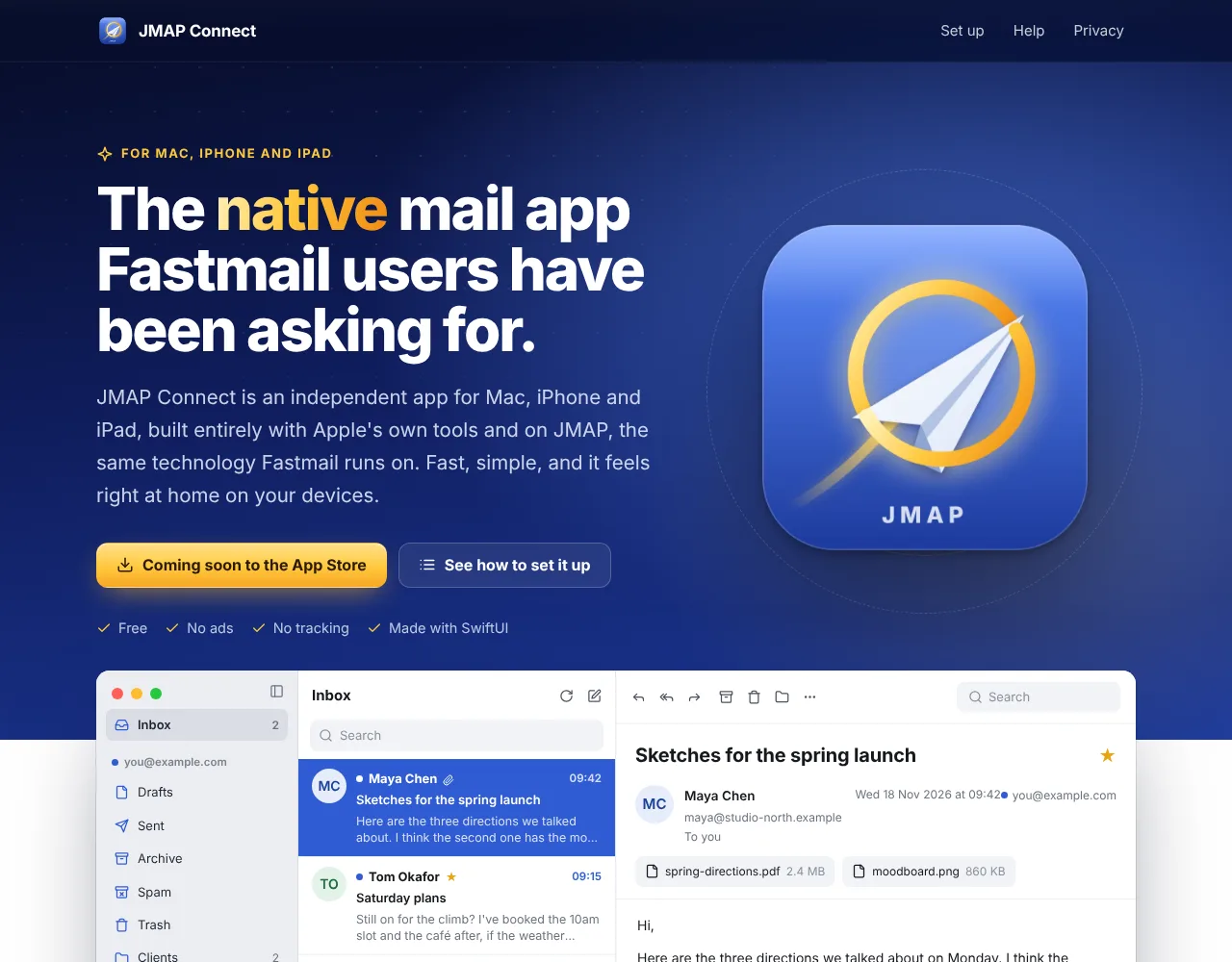
I’ve been keeping this one quiet, but it now has a name and a home. JMAP Connect is a native mail app for Mac, iPhone and iPad, built for Fastmail. It’s made with SwiftUI, Apple’s own toolkit, and talks to Fastmail over JMAP, the same technology Fastmail runs on, so it’s quick and it feels right at home on Apple devices. It’s an independent app, not made by or affiliated with Fastmail.
I’ve been testing it on TestFlight all day. Build 125 adds drafts, a Message menu and Help, and you can already reply from any of your Fastmail addresses and mark mail as spam. Next up is a sample mail mode, so Apple can review it without needing my own inbox.
The website is live, with a four step guide to setting it up and a “Tell me when it launches” box if you’d like an email when it’s on the App Store. It also has its own card on my projects page.
Bits and bobs
- ReaderCount. The ReaderCount apps for iPhone and Mac have gone back to Apple and are waiting for review. Fingers crossed.
- Search. If you search for my name, paulobrien.dev now shows up as “Paul O’Brien | Cloudflare App Developer”, and About is in the top menu. Bing has started sending readers my way again too, which is lovely to see.
- A better name. The “How I make money” link on paulobrien.com is now “How I cover site costs”, which says what it’s actually about.
New on paulobrien.com
- How to move from Microsoft 365 to Fastmail, a step by step guide, out this morning.
- iCloud Mail with your own domain, my review after setting it up, out yesterday.
Tomorrow morning the Google Workspace to Fastmail guide goes live. Right, I’m off to get some food. Speak soon.