Mail App gets its own home
 Paul O'Brien · 2 min read
Evening all,
What a day. Three Mail App releases, a brand new website and a fair bit of tidying behind the scenes. Here’s the lot.
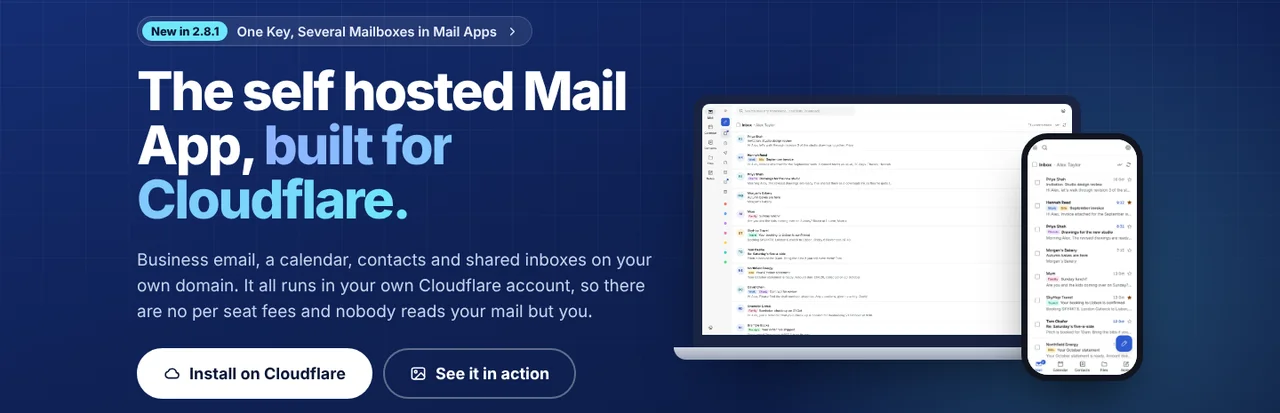
Mail App has its own website
A couple of friends told me Mail App deserved a proper home of its own, rather than sitting in a corner of this site. They were right, so as of this afternoon it lives at selfhostedmail.app. It has everything the old pages had and more: features, install steps, a comparison page, release notes and help. The old Mail App pages on paulobrien.dev now send you straight to the matching page there, so any links you’ve saved will still work.
With its own home comes a change to the licence. From now on Mail App is under the Business Source License, and there will be a Pro licence at £99 a year for each install. Checkout opens shortly. Every release up to and including 2.8 stays under the AGPL, so nothing changes for anyone already running it.
Three releases in one day
- 2.7. Catch all and masked email settings are much shorter. Instead of two switches for every domain, a mailbox now lists only the domains where it actually has a catch all or masked email, and you pick a domain to turn one on. If you run lots of domains, it’s a big tidy up.
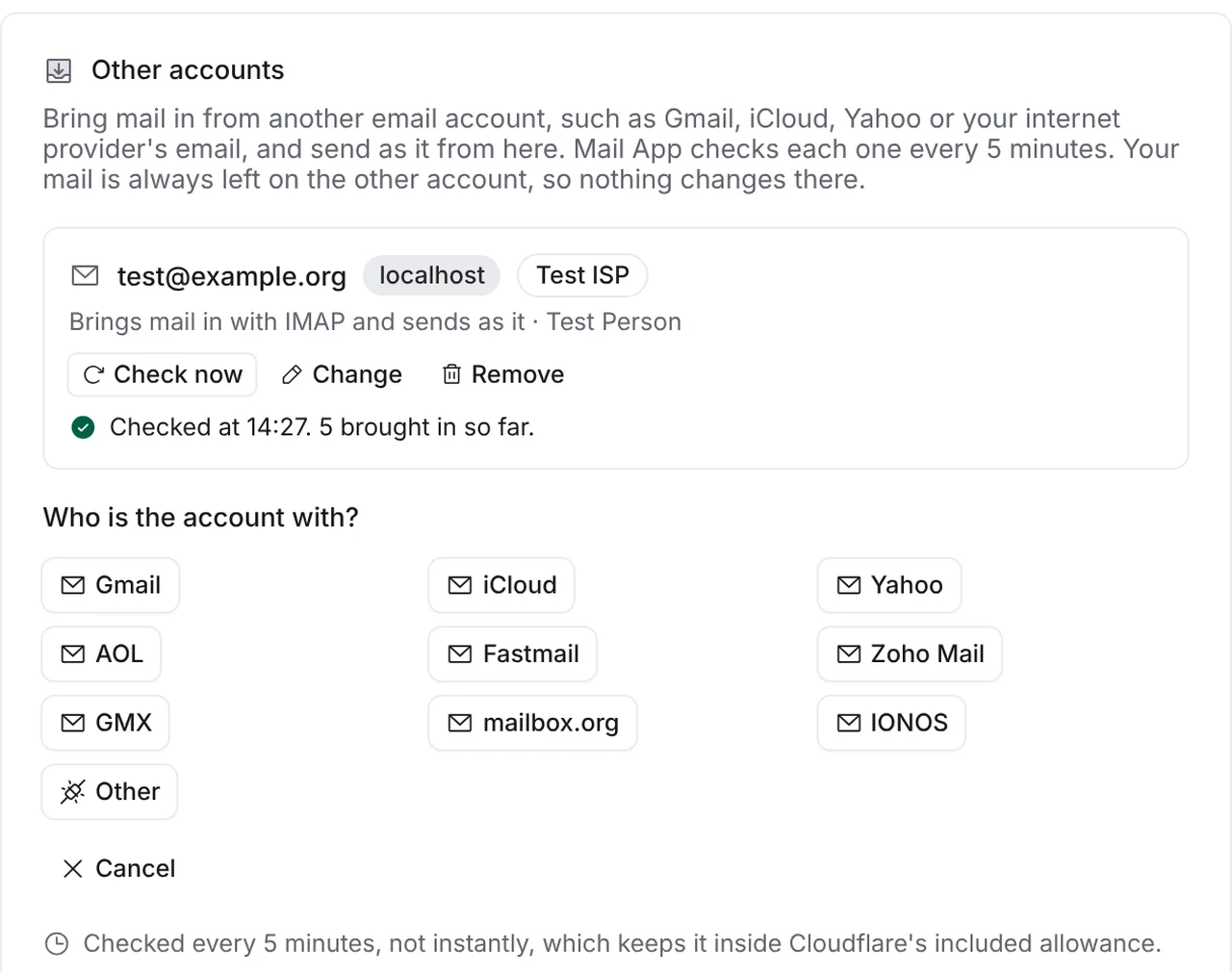
- 2.8. This is the big one. Under Settings, Other accounts, you can now bring mail in from Gmail, iCloud, Yahoo, Fastmail, Zoho or any IMAP or POP3 account. Mail App checks each one every 5 minutes and leaves your mail where it is. You can send as that address too, and the email goes out through its own server so it arrives properly signed. 2.8 also adds instant alerts for mail apps that use Mail App’s JMAP, such as JMAP Connect.
- 2.8.1. One API key now works across many mailboxes. Sign in to a mail app with a mailbox’s email address and your key, and that’s the mailbox it shows. Add the same key again with another address to see the next one.
All the details are on the releases page.
JMAP Connect works with Mail App
Yesterday Mail App learned to speak JMAP, and today JMAP Connect proved it. A friend who runs Mail App has been testing it on TestFlight and sending me feedback, which has been brilliant. Build 218 came out this afternoon with their suggestions in it. Mail App is now first in the list when you add an account, and each account is named by its email address. Sign in with Fastmail is fixed too, so it takes you all the way through and back into the app.
Bits and bobs
- My own mail. paulobrien.dev email now runs on Fastmail, alongside paulobrien.com. The bits that run on Cloudflare, like posting to this blog by email, carry on as before.
- ReaderCount. ReaderCount has a new Post performance report. It shows how each post did in its first 30 days, which posts are rising and falling, and how every row compares with the period before.
- paulobrien.com. I’ve updated my Fastmail review with why I came back to Fastmail, and tidied up the Proton and Fastmail pages around it.
That’s me for today. Have a lovely weekend, and speak soon.