
Teams and businesses
Email for your whole team. One install, no per-person fees.
Personal mailboxes, shared inboxes, more than one domain and a simple admin, all on one Cloudflare plan. Plus an API for your own apps.
// built for teams
One install. All your domains, people and inboxes.
// team access
Shared inboxes, own sign-ins.
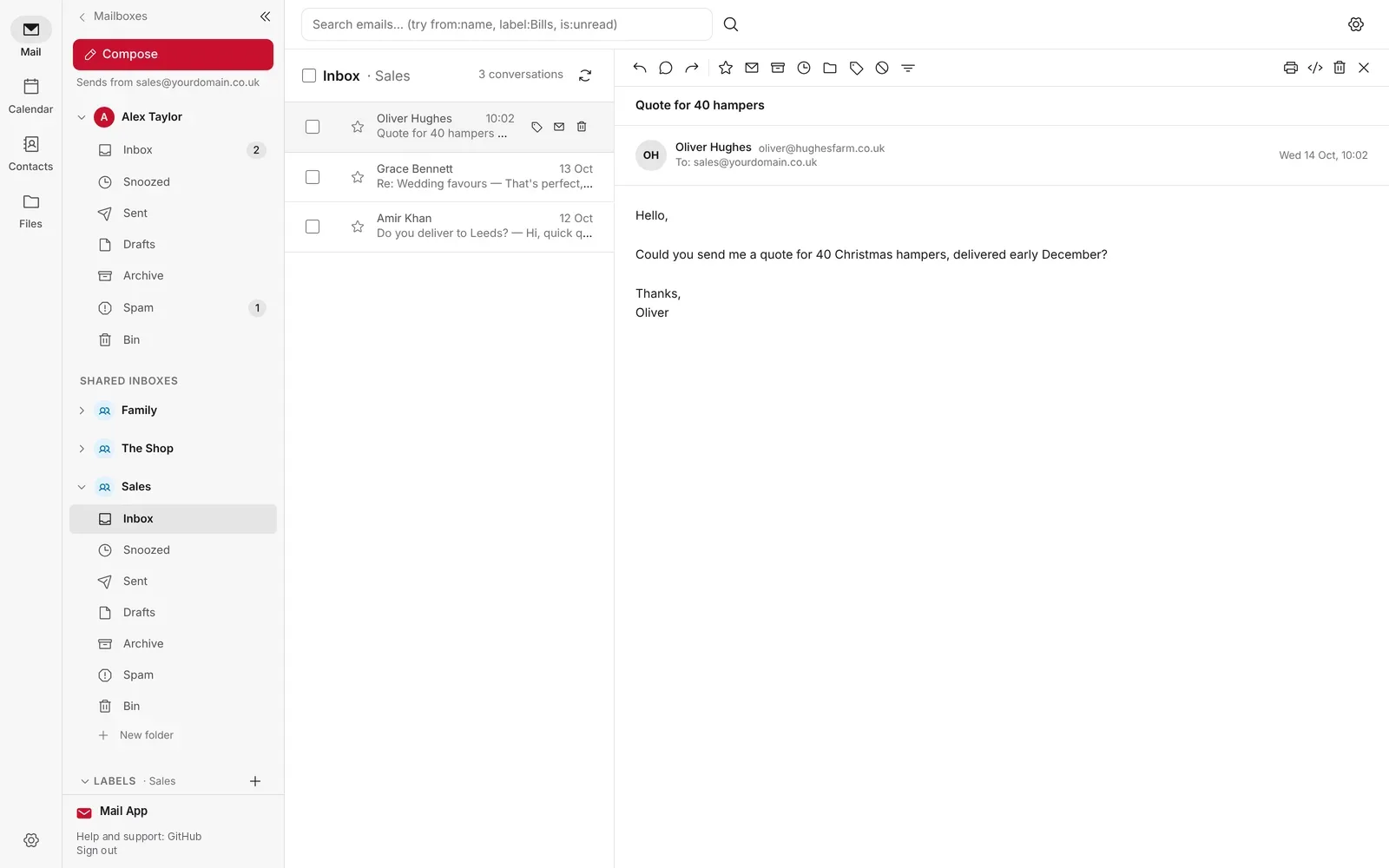
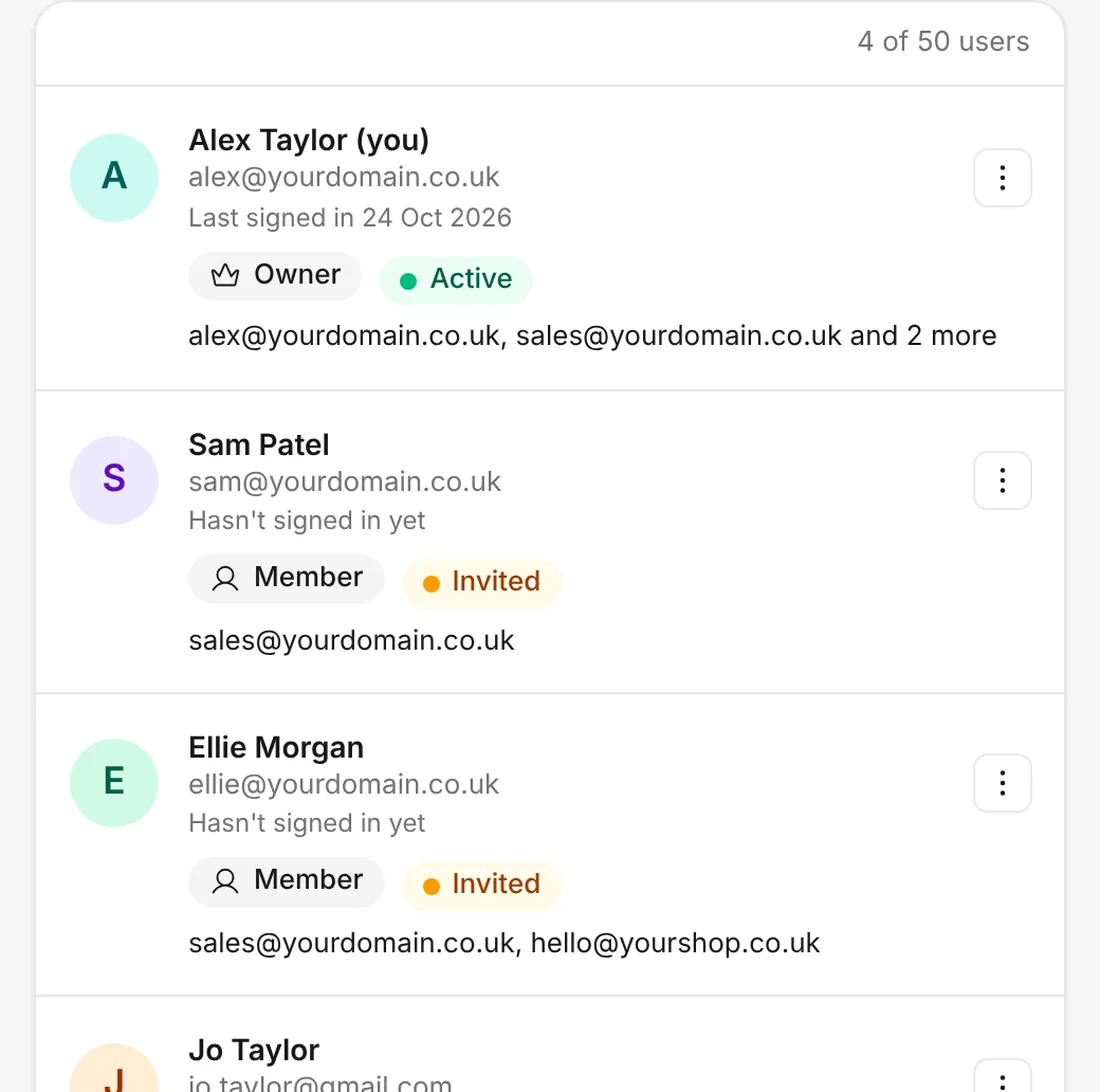
Invite colleagues or family to sign in with their own email address and open only the mailboxes you give them. Shared inboxes like sales@ sit in everyone's sidebar, and each reply shows who sent it.
- Up to 50 people, plus shared inboxes, with no per-mailbox fees
- Shared mailboxes for sales@, support@ or the family
- Sign in with a passkey or a one-time code. No passwords
// for admins
Everything managed in one place.
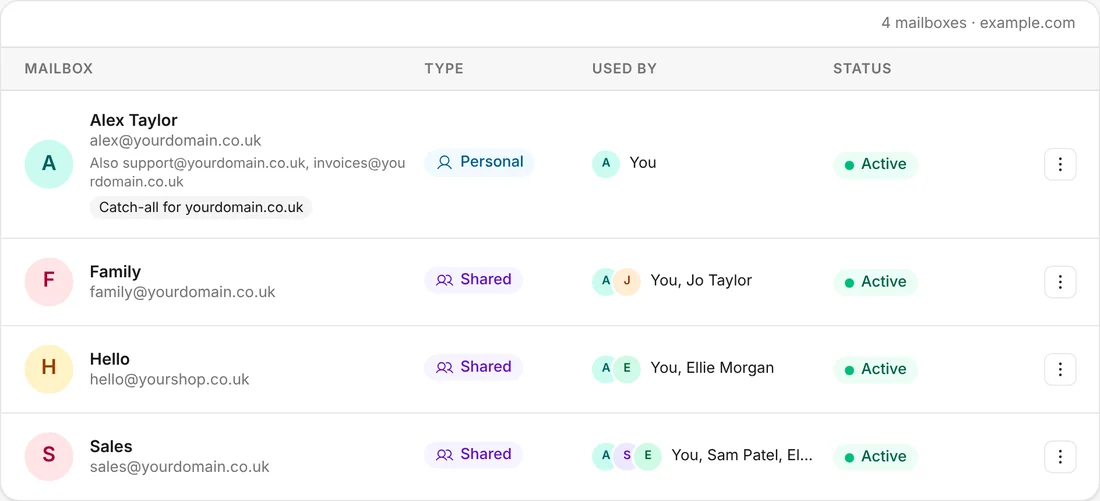
Add people, make mailboxes, connect domains and set where each address goes, all from one menu.
- Users. Invite people one at a time, or bring your whole team in from a spreadsheet, checked before anything is made.
- Domains. Connect several domains and see how each one is set up at a glance.
- Routing. Every address, alias and catch-all on one page.
- Company details. Enter your company name, number and registered office once, and they go at the end of every email anyone sends.
- Backups. See backups for every mailbox and run one whenever you like.
// for developers
Connect your own apps.
Mail App has a simple JSON API and webhooks built in. Read, search and send email from your own apps, and get an alert when new mail arrives. It all runs on your own Cloudflare account. Read the API guide on GitHub
- Keys for each job. Limit each key to the mailboxes you choose, with Read, Send and Organise permissions.
- Webhooks. Signed events when mail arrives or is sent, tried again if your app doesn't answer.
- Safe by design. The API can't delete email or change system settings. Those stay behind an admin sign-in.
Fetch the newest emails in a shared Sales inbox. $MAIL_API is your own API address, shown in Admin.
curl "$MAIL_API/mailboxes/sales%40yourdomain.co.uk/emails" \
  -G -d folder=inbox \
  -H "Authorization: Bearer $MAIL_API_KEY"

{
  "emails": [
    {
      "subject": "Quote for 40 hampers",
      "sender_name": "Oliver Hughes",
      "recipient": "sales@yourdomain.co.uk",
      "read": false
    }
  ],
  "totalCount": 1
}
// who it's for
Made for business email.
// keep exploring
More of Mail App.
Stay in the loop
Subscribe for updates.
Leave your email and I'll tell you when there's a new version of one of my apps, or a new project to try. Nothing else.