
AI reply assistant
AI that drafts your replies. Without sharing your email.
Switch it on and Mail App drafts a reply to each new email for you to check. It runs on Workers AI in your own Cloudflare account, so your email never comes to me or goes to an AI company.
// where your email goes
Your email stays on your own account.
Most AI email tools send your messages to their own servers, or to a big AI company. This one doesn't. The AI runs on Workers AI, inside the same Cloudflare account that already holds your mailbox.
A new email arrives
It lands in your inbox as usual.
Workers AI writes a reply
It reads the email and the rest of the conversation, in your own Cloudflare account.
The draft waits for you
It's saved in Drafts for you to check, change or bin.
- Never sent to me. I can't see your email or your drafts
- Never sent to OpenAI, Google or any other AI company
- Cloudflare doesn't keep it, or use it to train AI models
// what it does
A reply ready before you've read the email.
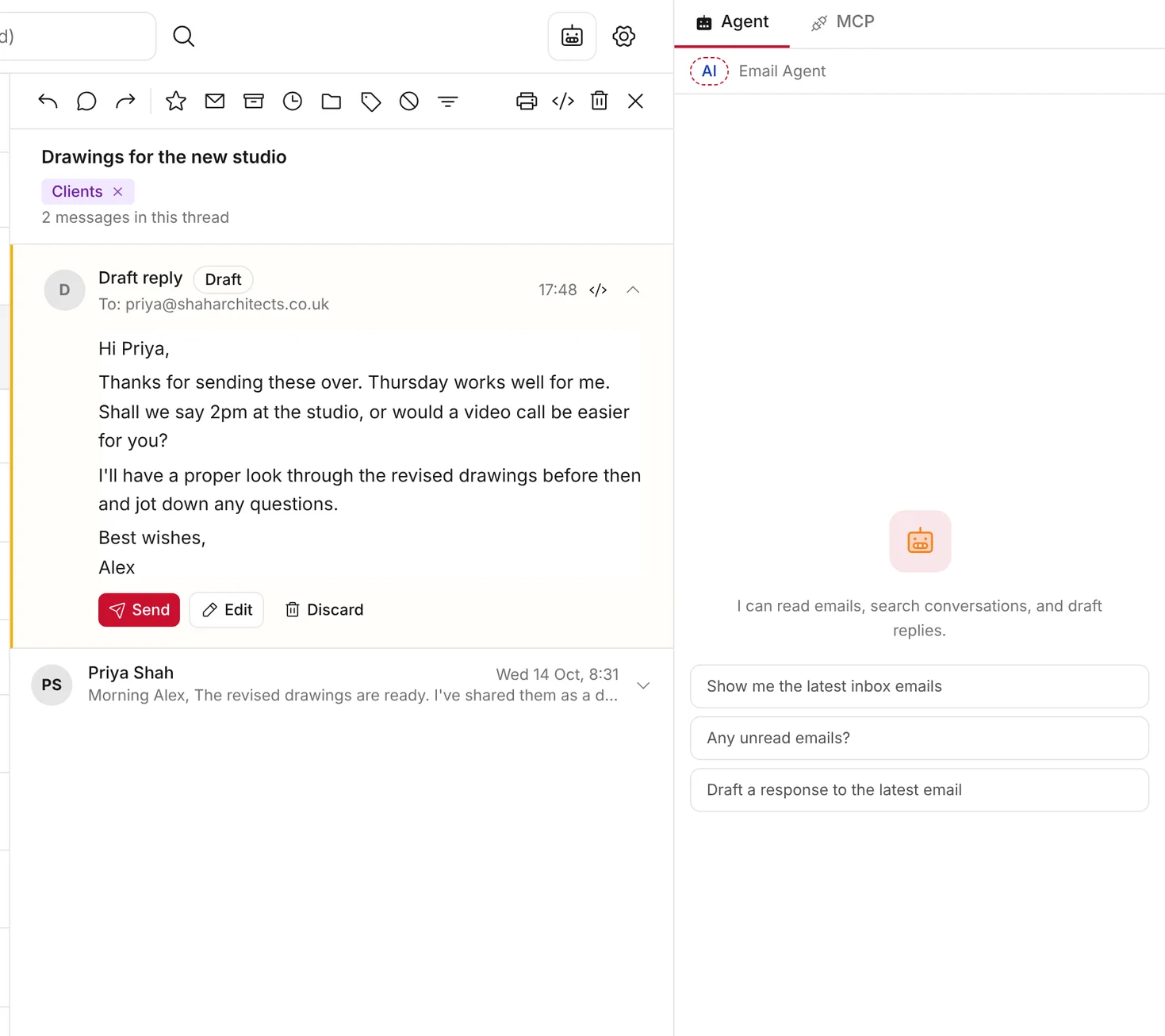
When a new email arrives, the assistant reads it with the rest of the conversation and writes a reply in plain, natural English. It saves the reply in Drafts, so you can send it, change it or bin it.
- It never sends anything. Only you can press Send
- Ask it questions in the side panel, like "Any unread emails?"
- It can search your mail, file it in folders and mark it as read
// you're in control
Off until you switch it on.
The assistant is off for every mailbox when you install Mail App. You turn it on in Settings, one mailbox at a time. When it's off, Mail App sends nothing to an AI model.
- Choose which mailboxes use it, and leave the rest off
- Pick the AI model that writes your drafts
- Write your own instructions, such as your tone or sign-off
- Turn it off again at any time
// built-in safety
Careful by design.
// the models
Open models, run by Cloudflare.
The assistant uses open models. Cloudflare runs them on its own network, as part of Workers AI. Their makers don't run them and don't receive your email. You choose the model that writes your replies: GLM-4.7 Flash (the default), Gemma 4 26B by Google, or Kimi K2.6 by Moonshot AI, which needs Cloudflare's Workers Paid plan.
“Workers AI processes Customer Content only for as long as needed to provide the service… Cloudflare does not use Customer Content processed by Workers AI to train AI models.”
// what's kept
What's kept, and where.
// good to know
Good to know.
// keep exploring
More of Mail App.
Stay in the loop
Subscribe for updates.
Leave your email and I'll tell you when there's a new version of one of my apps, or a new project to try. Nothing else.