
Mail App, version 1.71
Your own email, on your own Cloudflare.
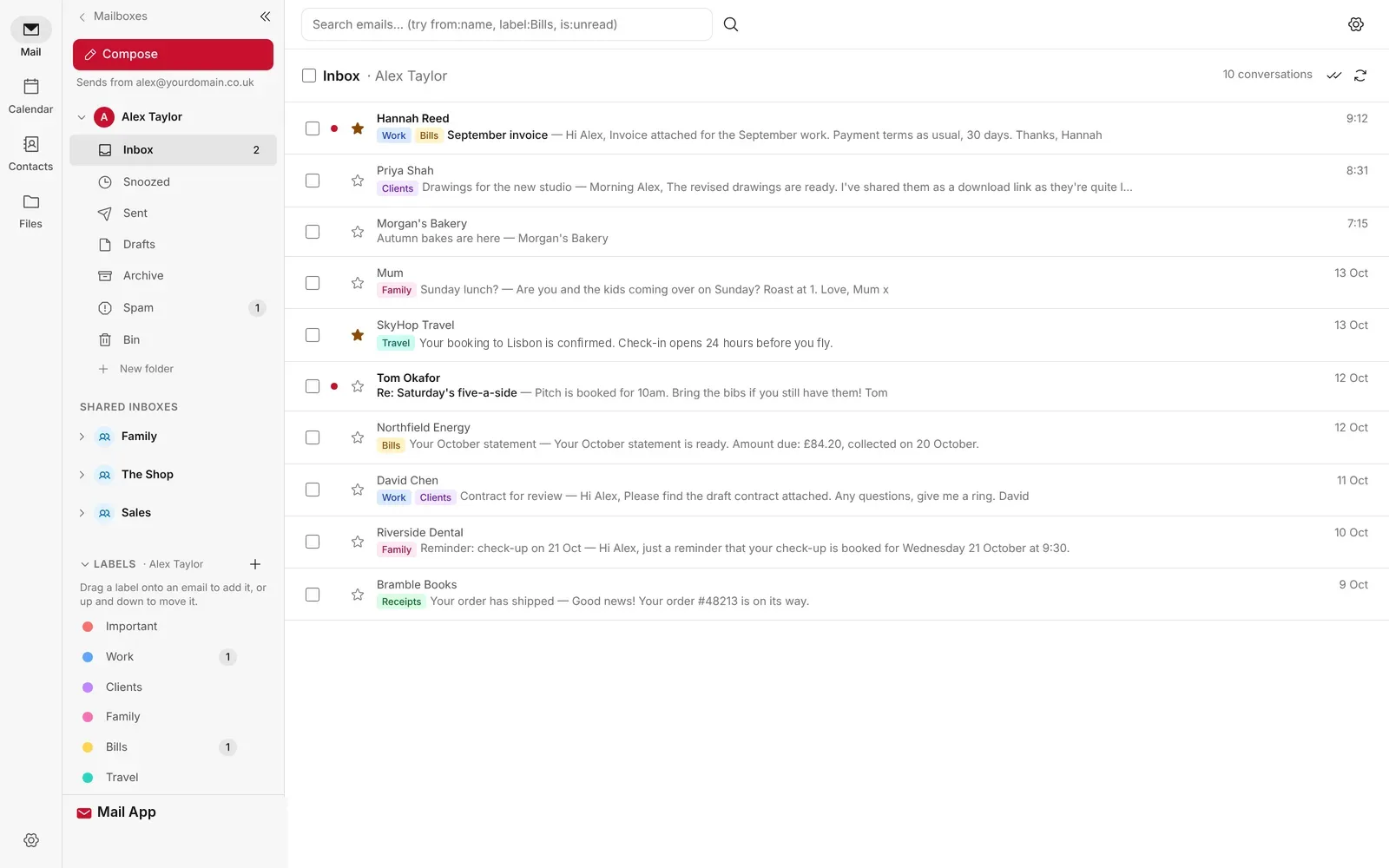
Business email on your own domain, with an inbox, calendar, contacts and shared inboxes. It runs in your own Cloudflare account, so your mail never sits on someone else's servers.
Free and open source. Receiving email is free on Cloudflare; sending needs their $5 a month plan.
// how it works
Set up in three steps.
You need a Cloudflare account (free) and a domain on it. That's all.
Connect Cloudflare
Make a Cloudflare API token and run the installer, or deploy from the code.
Pick your domain
Mailboxes, the web app address and email records are set up for you.
Open your inbox
Sign in at mail.yourdomain.com with a passkey and start sending.
// features
Everything you'd expect. And a few things you wouldn't.
Every feature is in the free app. There's nothing to unlock.
Your email, your domain
- Custom email addressSend and receive email on your own domain, such as name@yourdomain.co.uk.
- Multiple inboxesAs many separate mailboxes as you need, across all of your domains.
- Extra addresses and catch-allhello@ and support@ in one inbox. Replies go from the address the email was sent to.
- Email forwardingPass mail on to another address, with or without a copy. Spam is never forwarded.
- Company details footerCompany name, number and registered office added to every email your team sends.
A tidy inbox
- Folders and labelsTraditional folders or Gmail-style labels, with search across your whole inbox.
- Inbox rulesSort, star and mark mail as read automatically, and tidy up what's already there.
- Snooze and scheduled sendHide an email until later, or choose when yours goes out.
- Remind me if no replyAn important email comes back to your inbox if nobody answers.
- Notes, signatures and templatesNotes and checklists beside your mail, reusable replies and out-of-office.
Built for teams
- Shared inboxessales@ in everyone's sidebar, with each reply showing which colleague sent it.
- Team accessColleagues sign in with their own email and only see the mailboxes you give them.
- Smart address bookSuggestions as you type, full history on one screen, import from Gmail, iPhone or Outlook.
- Simple admin dashboardUsers, mailboxes, domains, routing, backups and bulk imports in one place.
- Your own brandingYour logo, name and colour, so your team sees your brand.
Calendar
- Month, week, day and listInvitations with replies tracked, one-click video calls and repeating events.
- Sharing and syncTeam calendars, plus your diary in Apple Calendar, Outlook and Google Calendar.
- RemindersPush notifications on your phone and computer.
Privacy and security
- Built-in spam filterSpoofed senders, fake brands and risky links caught, with a plain English reason for each.
- Masked email aliasesA new address for every website you sign up to, so you can see who leaks it.
- Tracker blockingTracking pixels removed, so senders can't tell when or where you opened their email.
- Passkey sign-inFace ID, Touch ID, Windows Hello or a security key. No passwords.
Files, apps and code
- Large files and storageShare files up to 95 MB as encrypted links and keep documents in your own storage.
- Works as an appPin it to your taskbar, Dock or phone home screen, with notifications and badge counts.
- Backups and moving inNightly backups, one-click exports and moving in from Gmail, Apple Mail or Thunderbird.
- Optional AI reply draftsOff until you switch it on, and it runs on your own Cloudflare account.
- API and webhooksLet your own apps read, search and send email, with an event for every new message.
// screens
See it working.
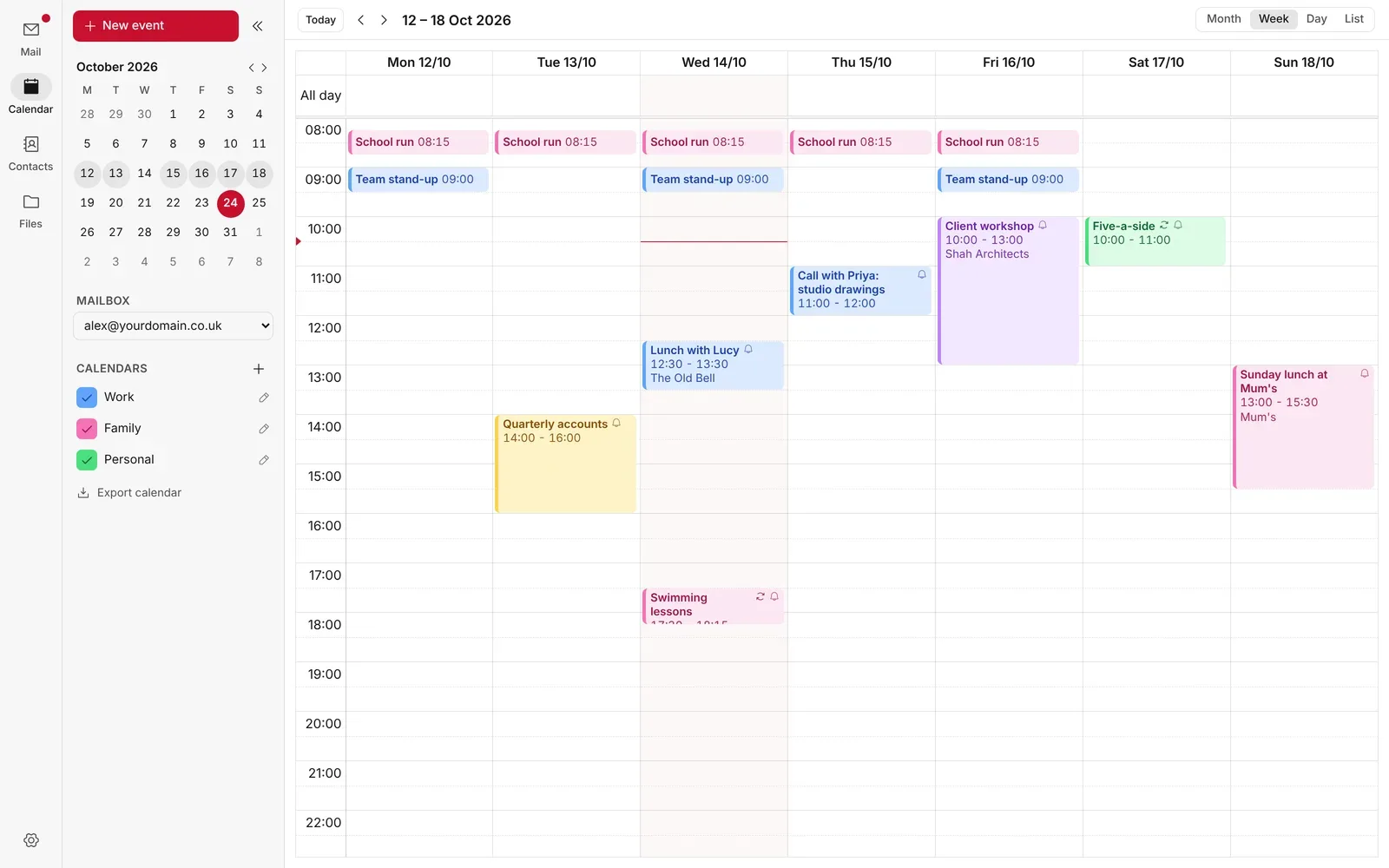
The calendar, week view.
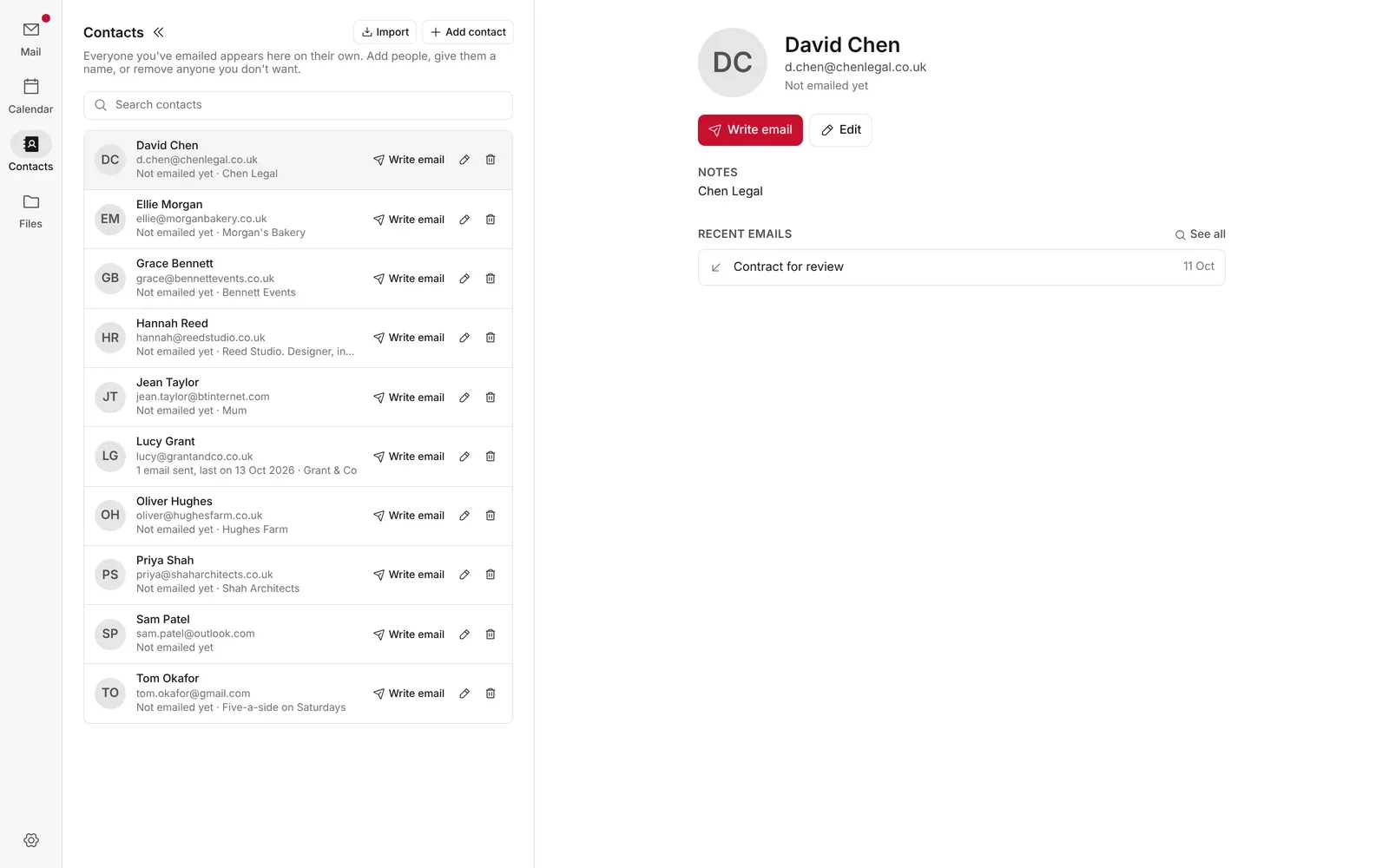
Contacts, with every email you've swapped.
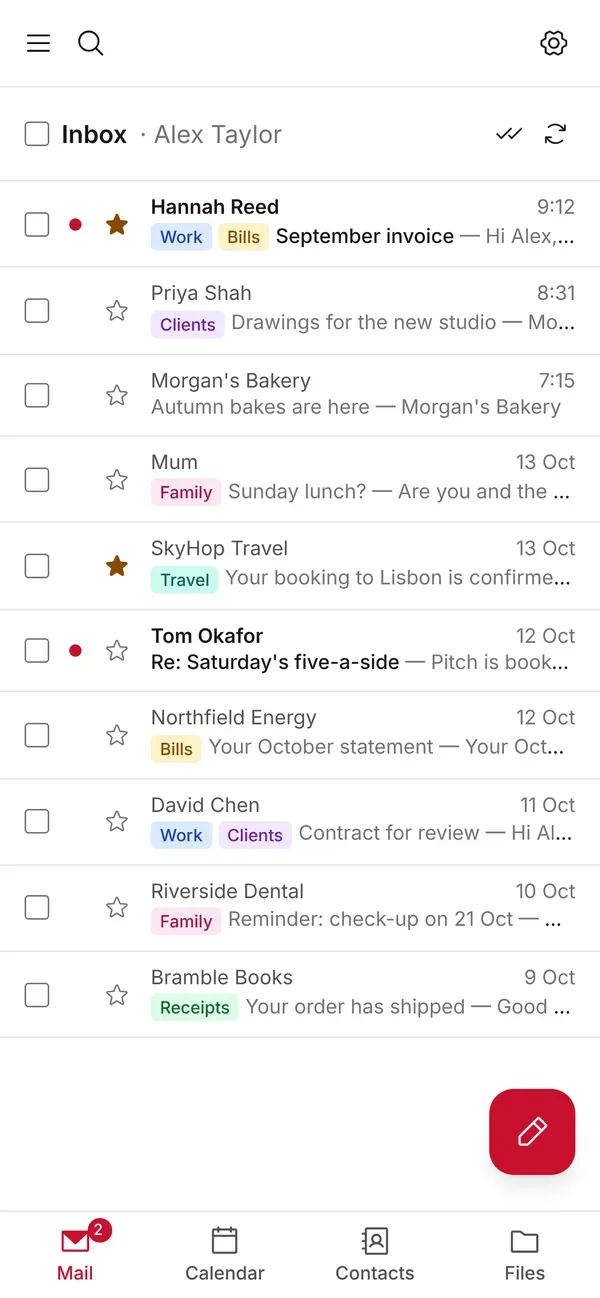
On your phone, as an app.
// what it costs you
Cloudflare bills you directly.
The app is free. It runs on Cloudflare, so Cloudflare charges you for what you use. Figures checked 29 October 2026; Cloudflare's own pricing always applies.
$0
To receive. Cloudflare's free plan receives email at no cost. You can try Mail App without paying anything.
$5 a month
To send. Cloudflare's Workers Paid plan includes 3,000 sent emails a month, about 100 a day, for your whole account.
$3.50
Per 10,000 extra. Busier teams pay Cloudflare a little more for extra emails and extra storage.
// get it
Three ways to install.
Pick whichever suits you. Every way installs into your own Cloudflare account, and updating later keeps everything you've set up.
npx @mrpwob/mail-app helpnpx @mrpwob/mail-app setup
// built with
What's under the hood.
Everything runs on Cloudflare's developer platform, in your own account.
- Cloudflare Workers
- Durable Objects
- R2
- Email Routing
- Workers AI
- TypeScript
- React Router
- Hono
- Tailwind CSS
// release notes
66 releases since October 2026.
Latest: 1.71, Stronger Spam Filter, 29 October 2026.
Read the release notes// questions
Questions.
Is it really free?
Yes. There's no licence, trial or paid version. You only pay Cloudflare for what you use, and receiving email on their free plan costs nothing.
Who's it for?
Anyone happy to look after their own email on Cloudflare: a small business, a family or a developer who likes owning their stack. If you'd rather someone else looked after it, a paid email provider is a better fit.
Where do I get help?
Bugs go in GitHub issues and questions in GitHub Discussions. I answer there, so the next person with the same question finds the answer too. For anything else, use the contact page.
Does my email come to you?
No. Everything runs in your own Cloudflare account. I never see your mail, contacts or files.
Stay in the loop
Subscribe for updates.
Leave your email and I'll tell you when there's a new version of one of my apps, or a new project to try. Nothing else.