
Privacy and security
Private by design. Locked down by default.
Everything Mail App does to keep your address private, keep scams out of your inbox and make sure only the right people can sign in. It runs in your own Cloudflare account, so your mail never comes to me.
// masked email
A different address for every website.
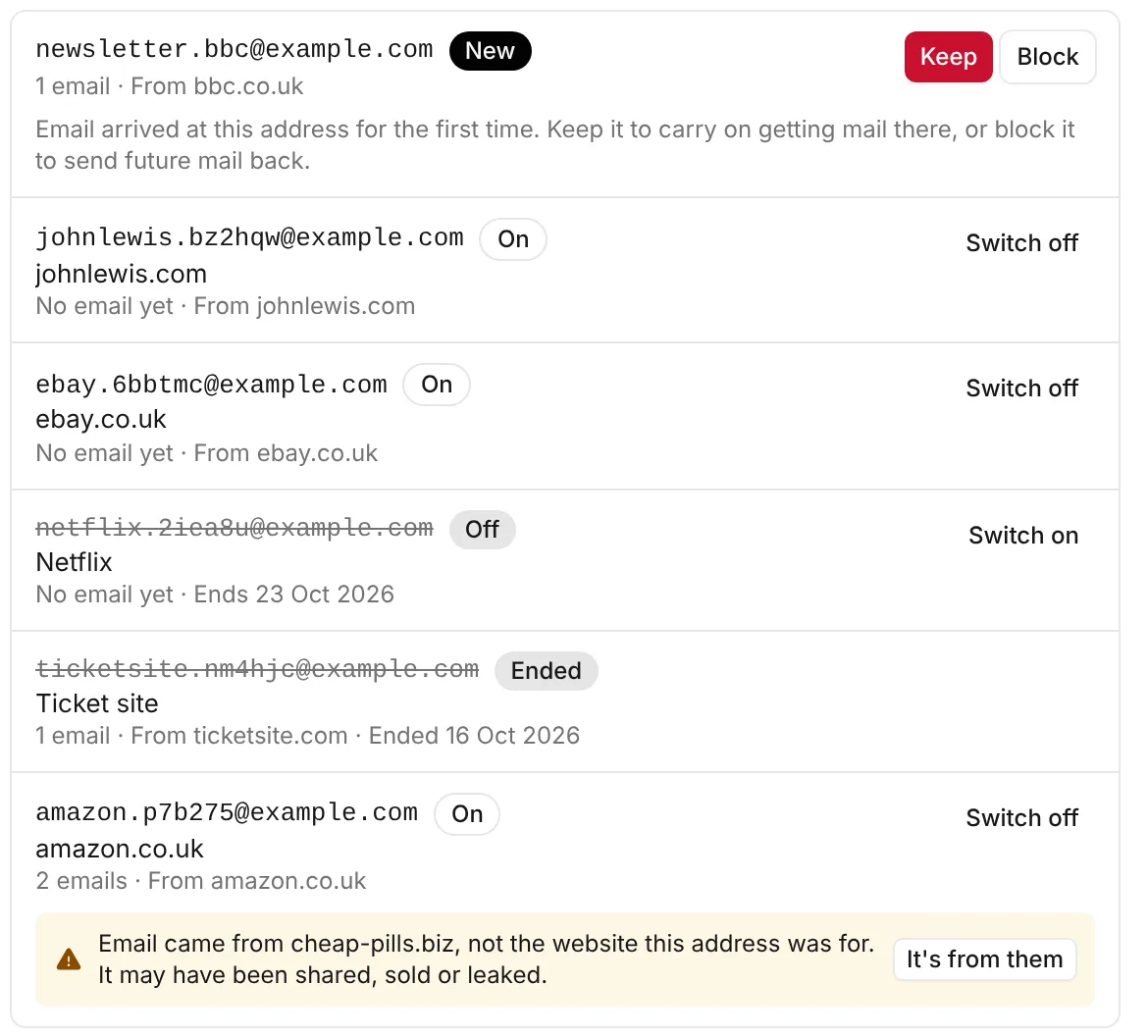
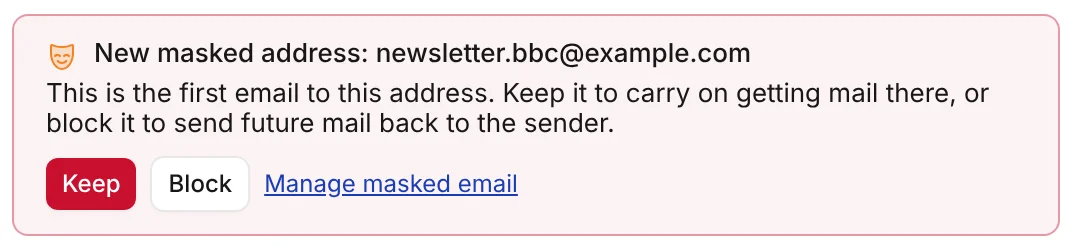
Give each website its own address, made as you sign up. When the first email arrives, keep it or block it, so your real address is never handed out.
- Ends when you choose. On a date, after a set time, or straight after its first email.
- Spot a leak. See when a company shares, sells or loses your details.
- Reply privately. Answer from the masked address, so your own stays hidden.
// spam and scams
Scams spotted, with the reason why.
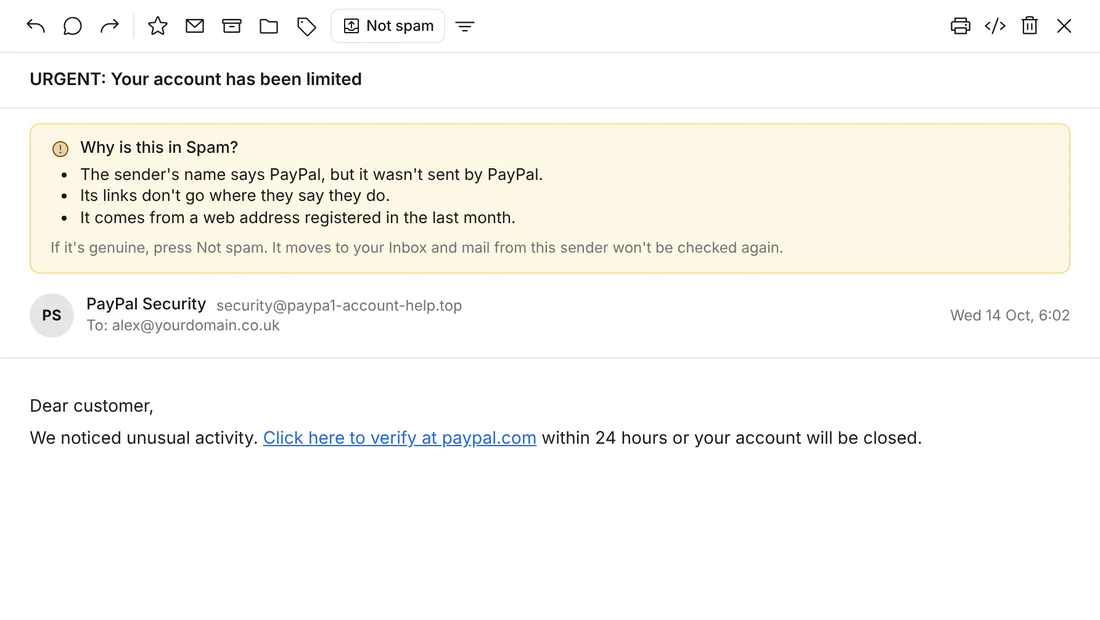
Mail from people you don't know is checked for fake sender names (such as Royal Mail or PayPal), misleading links, lookalike web addresses and brand-new domains.
- Every email moved to Spam says in plain English why it was moved
- The scam checks are skipped for your contacts, people you've emailed and senders you've marked Not spam
// passkeys
Sign in with your face or fingerprint.
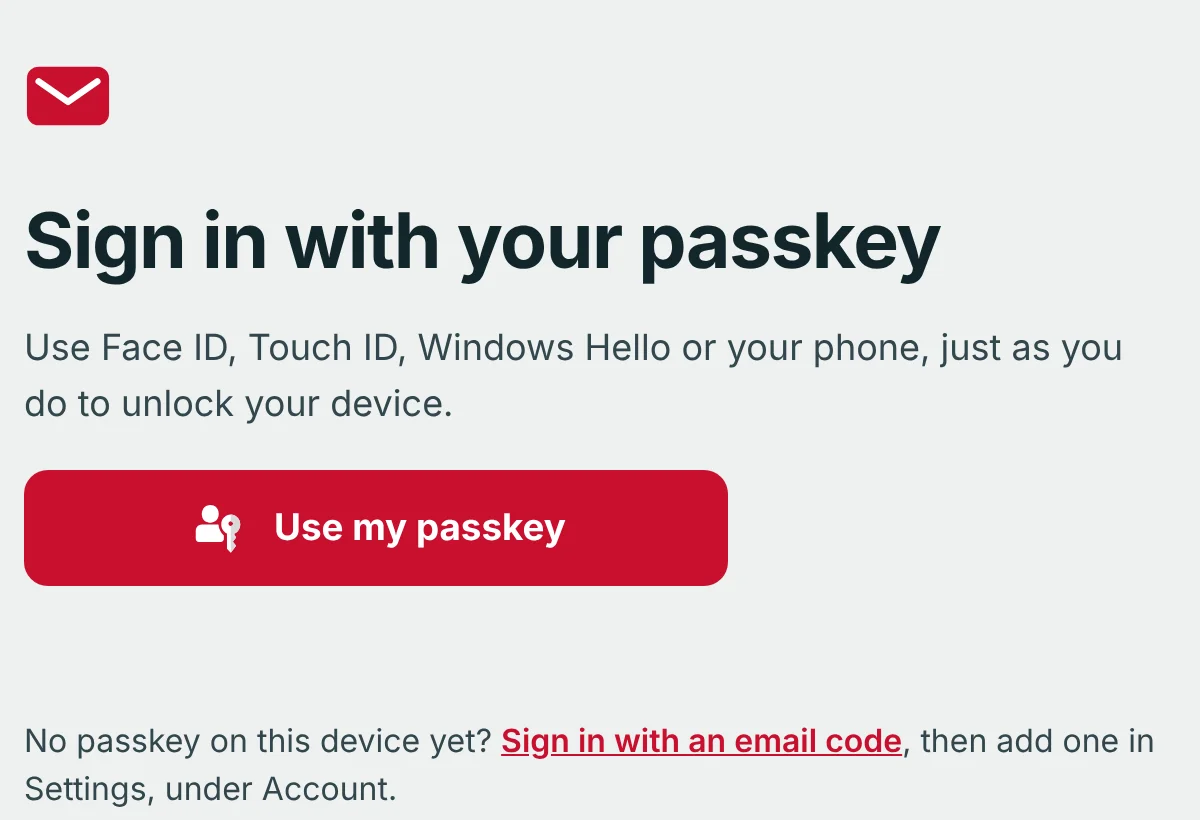
Sign in with Face ID, Touch ID, Windows Hello or your phone, just as you do to unlock your device. No waiting for a code, and nothing for a fake website to steal.
- Add a passkey in seconds under Settings › Account
- A one-time code by email is still there as a back-up
// tracker blocking
Read your email without being watched.
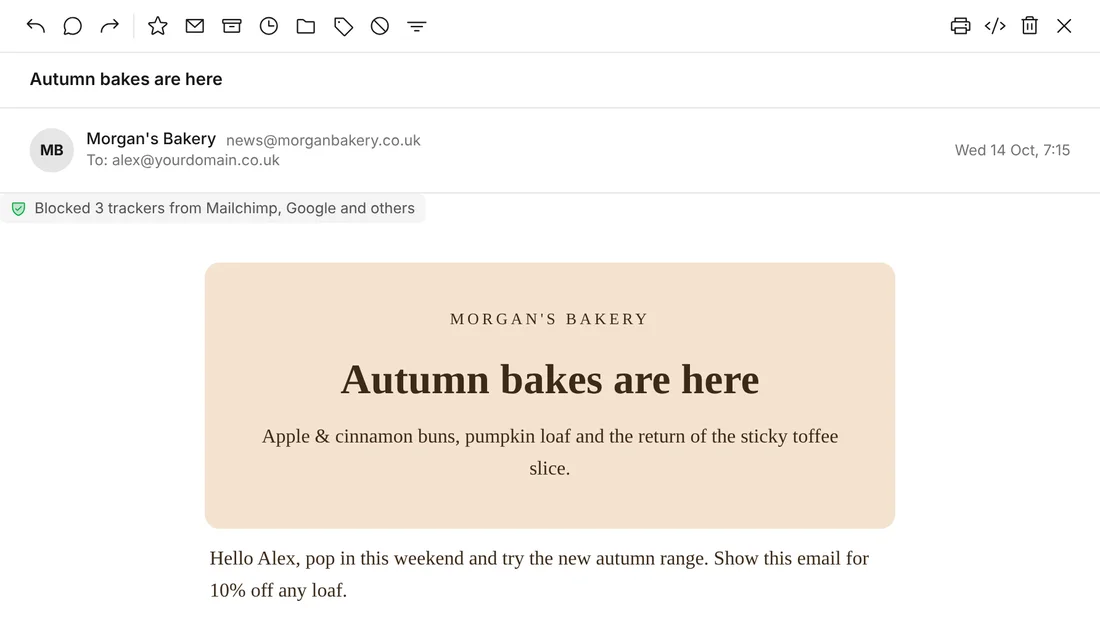
Many newsletters hide tiny pictures that tell the sender when, where and on what device you opened their email. Mail App blocks them before the email opens, and tells you who was trying.
- Hidden trackers from Mailchimp, Google and others are blocked automatically
- Large files go out as encrypted download links, with an optional password you can send by WhatsApp or text
- On a shared computer, sign out in one click
// sign-in
Only the people you invite can get in.
Your inbox sits behind Cloudflare Access, Cloudflare's sign-in gate. Nobody reaches Mail App until they've proved who they are.
// before mail reaches you
Three checks on every email.
Cloudflare checks the sender
Email that fails sender checks (SPF and DKIM), breaks the sending domain's own DMARC rules or comes from a server on a known spam block list is turned away before it arrives.
Mail App checks for scams
Mail from people you don't know is checked for misleading links, fake brand names, lookalike web addresses and brand-new domains. Your block list sends repeat offenders straight to Spam.
Your rules sort the rest
Inbox rules file, label or star what's left, and masked addresses tell you if a company passed your details on.
// your data
Your email lives in your account. Not mine.
You own your data. No tracking pixels, no adverts, no snooping. Export everything whenever you like, as a standard file any mail app can open.
What can I see?
Nothing. There's no account with me and nothing to sign up for. Your mail, contacts and settings live in your own Cloudflare account, and I never see them.
What can Cloudflare see?
Cloudflare runs the servers your mail is stored on, under your own account. Like every email service, it keeps a delivery log of who sent mail to whom, for up to 30 days. Cloudflare's privacy policy
- The installer lets go. Your Cloudflare API token is only sent to Cloudflare, and only while the installer runs. Delete the token in your Cloudflare profile whenever you like.
- Nothing personal phones home. Mail App checks GitHub for new releases. That check carries no personal data and nothing about your mail.
- The AI is yours too. The optional AI reply assistant runs on Cloudflare in your own account, and stays off until you turn it on. How it stays private
// backup and export
Take your email with you, any time.
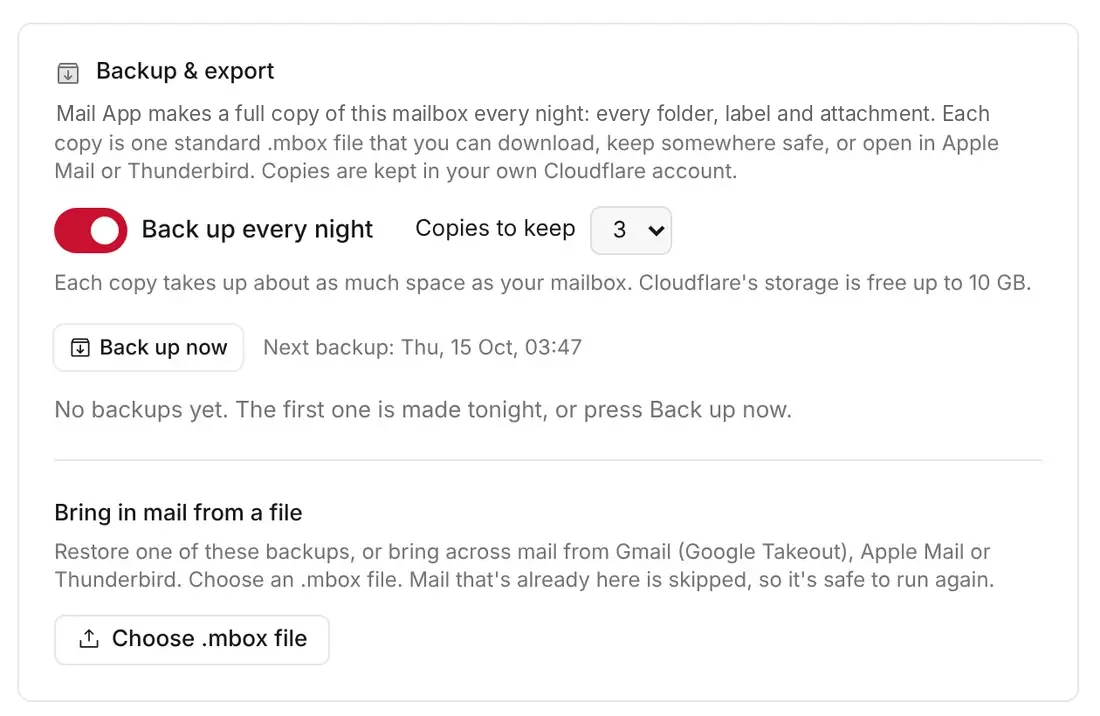
Automatic nightly backups for every mailbox, one-click exports and easy imports from Gmail, Apple Mail or Thunderbird. Admins can see and run backups for every mailbox from one page.
- Backups are standard .mbox files that any mail app can open
- Bring old mail in from Gmail, Apple Mail or Thunderbird
// where it started
Built far beyond where it started.
Mail App began as Cloudflare's open-source Agentic Inbox, a small starting point for email on Cloudflare. Since then I've grown it into a full suite with calendar invitations, shared inboxes, more than one domain, inbox rules, a spam filter, masked email, passkey sign-in, file storage, nightly backups, an admin area and an API.
- Your software, your data. It runs on your own Cloudflare account.
- Never locked away. The code is open source, so your mail keeps arriving whatever happens.
- Independent. Mail App isn't made, endorsed or supported by Cloudflare.
// keep exploring
More of Mail App.
Stay in the loop
Subscribe for updates.
Leave your email and I'll tell you when there's a new version of one of my apps, or a new project to try. Nothing else.