JMAP Connect: a deep dive
 Paul O'Brien · 5 min read
JMAP Connect is the newest thing I've made. It's been on TestFlight with a new build most days, and it's nearly ready for the App Store. It deserves a proper write up of its own, so here it is: why I made it, how it works, a tour of the app, what's coming next and how it compares with Apple Mail.
Contents
- Why I made it
- How it works
- A tour of the app
- What's coming next
- Who it's for
- JMAP Connect vs Apple Mail
- What it isn't
- Getting started
Why I made it
My own email lives on Fastmail, and I think it's one of the best email services around. Fastmail runs on JMAP, a modern open standard for email, but almost every mail app on the Mac and iPhone still talks to it over IMAP, which is decades older and was designed long before smartphones.
On the web, Fastmail is lovely. In Apple Mail, it's just another IMAP account: signatures typed in again on every device, aliases added by hand and labels shown as folders. I wanted an app that speaks JMAP from the ground up and feels properly at home on Apple devices, so I made one.
It's an independent app. It isn't made by, endorsed by or affiliated with Fastmail.
How it works
JMAP Connect is written entirely in SwiftUI, Apple's own toolkit, so it's a real Mac, iPhone and iPad app rather than a website in an app window.
- JMAP, not IMAP. Instead of reloading whole folders, JMAP sends only what's changed since last time, so the inbox stays quick even on patchy mobile data or train Wi-Fi.
- Instant on the Mac. While the app is open, Fastmail tells it the second new mail lands, rather than the app checking every few minutes.
- Straight to Fastmail. Your device talks directly to Fastmail over one encrypted connection. There's no server of mine in the middle, so I never store, pass on or see your messages.
- No password handed over. You make an API token in Fastmail that only allows email and sending, and you can switch it off with one click at any time.
- Search on the server. Searches run on Fastmail, so they find every email you've kept, even ones from years ago that aren't on your device.
A tour of the app
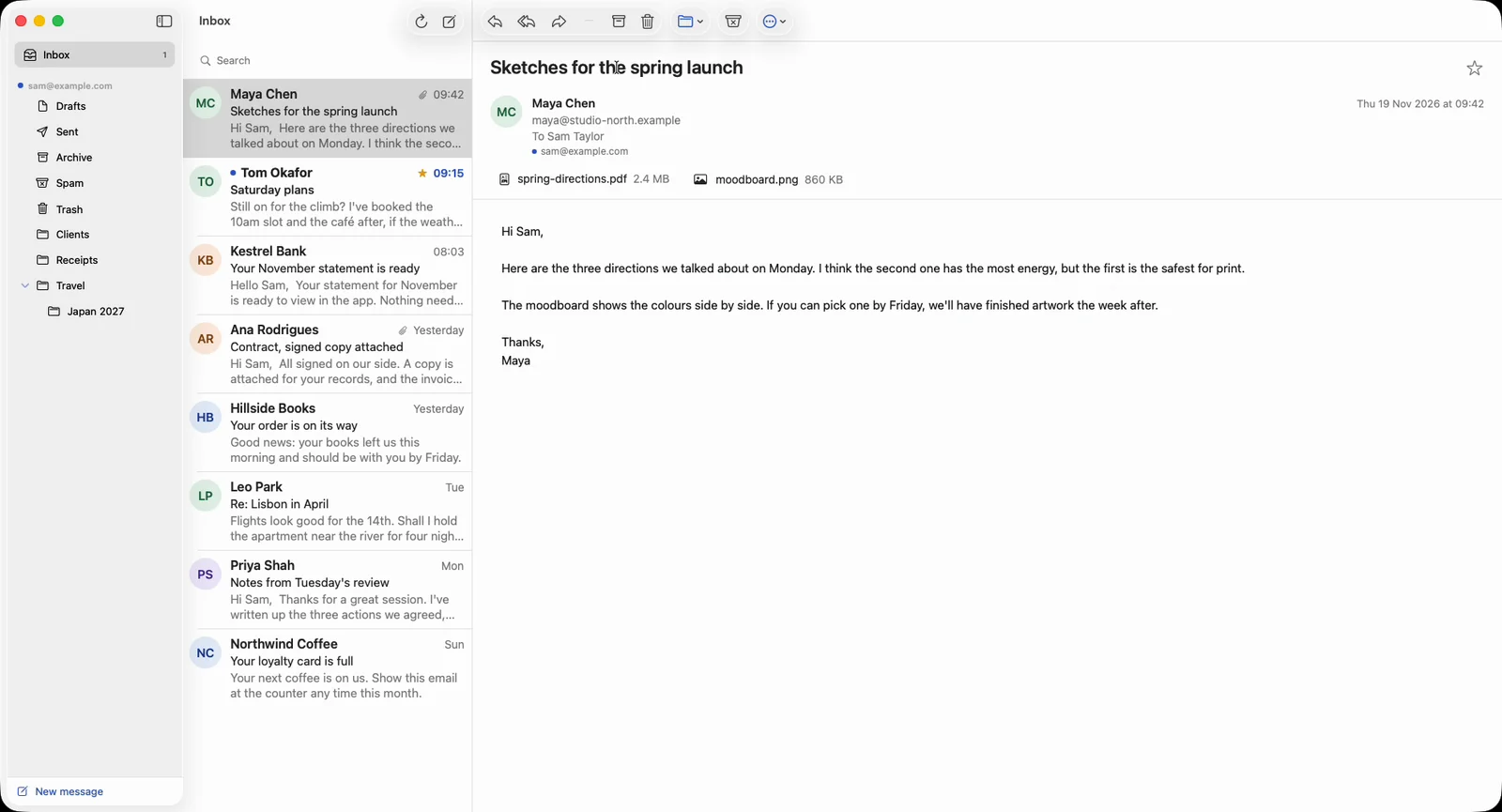
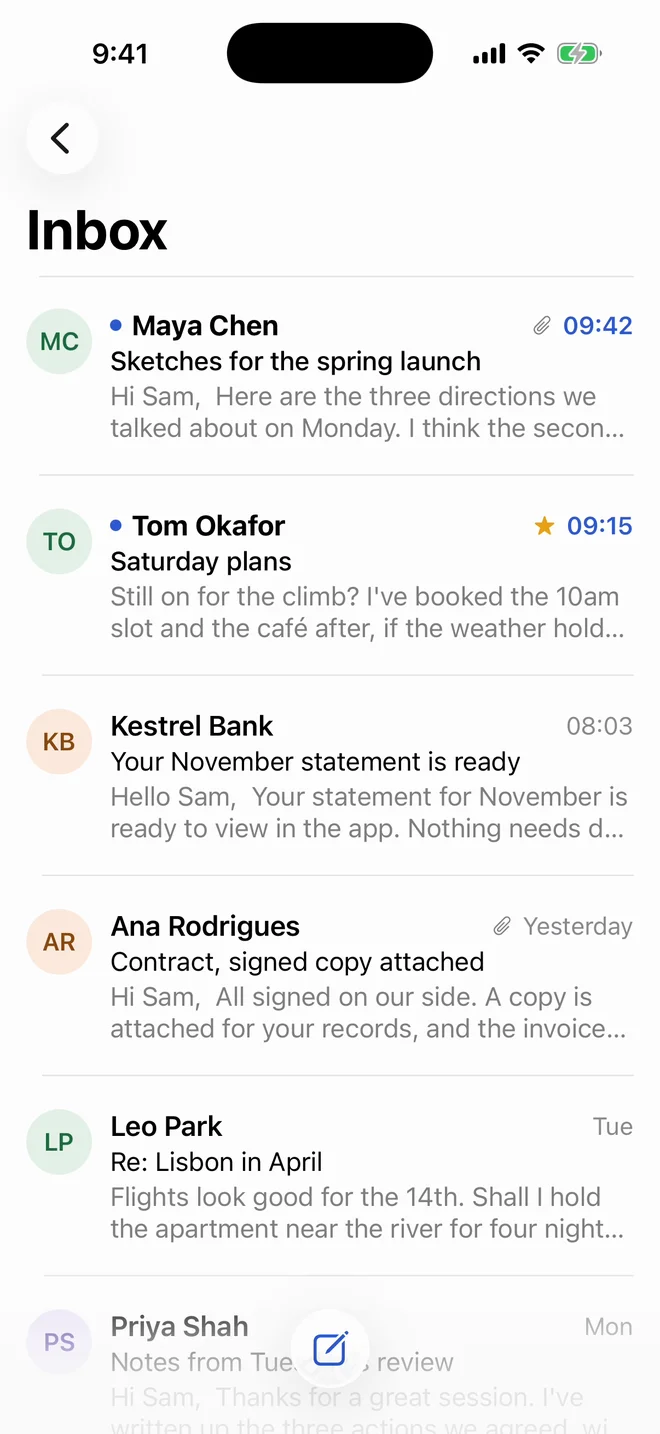
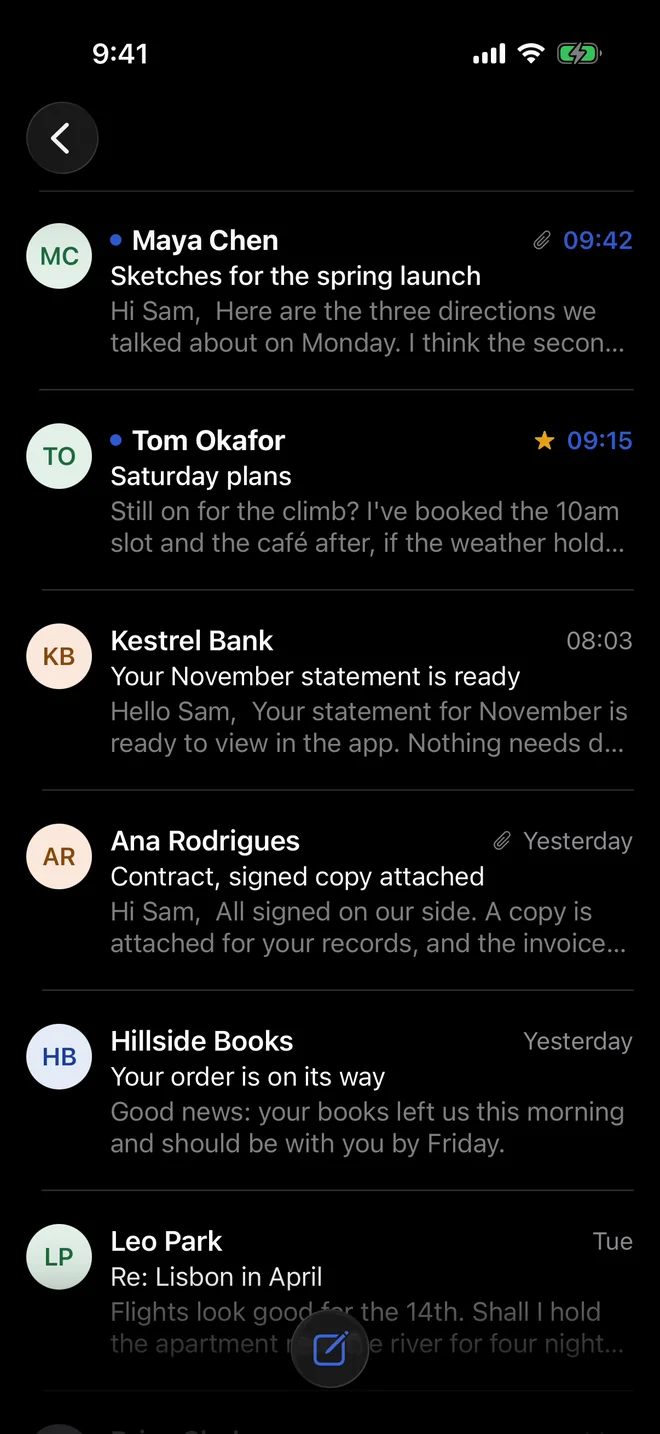
Here are the parts I use most, shown with the sample mail mode I built so Apple could review it without my own inbox. The people in it are made up.
Reading. A familiar three pane layout: folders on the left, conversations in the middle and your email on the right. No cluttered sidebars or AI gimmicks, and everything loads straight away.
On your iPhone. The same inbox in your pocket, with swipes to star, archive or delete, and alerts and the unread count on the app icon.
Writing. Reply, reply all and forward, with your Fastmail signatures added for you. Replies go out from the address the email was sent to, even a catch all address on your own domain, and you can pick any address on your account.
Folders or labels. Whichever you use in Fastmail, JMAP Connect follows along. An email with two labels shows under both, and archive, delete and move behave just like the web app. Several Fastmail accounts show in one inbox, colour coded so you always know which address is which.
Dark mode. It follows your device, and it looks lovely.
What's coming next
These are built and being tested on TestFlight now, and they'll arrive in updates after launch. I'll only call them available once they're out.
- Sign in with Fastmail, a couple of taps with no API token to make or paste.
- Instant alerts on iPhone and iPad, with the sender and subject, even when the app is closed.
- Offline mail and instant search, so you can read, search and write without a connection.
- Contacts, with your latest emails with each person.
- Undo send, mute and tracker blocking.
- A newsletter manager, smart folders, widgets and Focus filters.
- Private AI, only if you want it, using Apple Intelligence on your device, off until you turn it on.
I'm also testing it with other JMAP servers, including Stalwart and my own Mail App, and each one will be added once it's properly tested.
Who it's for
Fastmail users on Apple devices. If you live in Fastmail and you've ever wished it felt more at home on your Mac or iPhone, this is for you.
People with lots of addresses. If you use aliases, catch all addresses on your own domain or more than one Fastmail account, it loads them all from Fastmail, with nothing to type in again.
Anyone who likes native apps. It follows the system's conventions, it's light on your battery and the Mac version has keyboard shortcuts for the things you do most.
JMAP Connect vs Apple Mail
Apple Mail is a good all round email app. It works with every provider in the same way, so it only uses the basics they all share. JMAP Connect is made for Fastmail, so it uses the parts Apple Mail leaves out.
| Apple Mail with Fastmail | JMAP Connect | |
|---|---|---|
| How it talks to Fastmail | IMAP, the older standard | JMAP, the protocol Fastmail runs on |
| Your Fastmail signatures | Typed in again on each device | Loaded from Fastmail |
| Sending addresses and aliases | Added by hand on each device | Loaded from Fastmail, catch all included |
| Replies | Only from addresses you've added | From the address the email was sent to |
| Labels | Each label shows as its own folder | Understood, just like the web app |
You don't have to choose. Both read the same Fastmail account, so you can try JMAP Connect without changing anything in Apple Mail. There's a longer comparison on the JMAP Connect site.
What it isn't
To be fair about it, JMAP Connect isn't for everyone.
- It's built for Fastmail. If your mail is on Gmail, Outlook or iCloud, it won't help you.
- It's for Apple devices only. There's no Windows or Android version.
- On iPhone and iPad, instant alerts with the app closed aren't in the first version. Until they arrive, new mail is checked in the background when iOS allows.
Getting started
JMAP Connect is coming to the App Store for Mac, iPhone and iPad. Everything is on jmapconnect.app, where you can leave your email address to hear the moment it's out, watch a one minute video of it in action and read the setup guide. There's a community board on the site too, for ideas and questions. I'd love to hear what you think of it.
As always, sharing the love.