Email move: a deep dive
 Paul O'Brien · 2 min read
I've moved my own email more times than I'd like to admit, most recently from Google Workspace back to Fastmail. The new account is always the easy part. The hard part is bringing years of old email and folders with you. Email move does that for you, in the background, and leaves your old mailbox exactly as it was.
Contents
Why I built it
Most providers have an import tool of some sort, but each one works differently, and you have to keep the page open while a big mailbox crawls across. I wanted one tool that works with any provider that speaks IMAP, keeps going if you close the browser and emails you when it's done.
How it works
Email move runs on Cloudflare Workers. It connects to both mailboxes using IMAP over Cloudflare's TCP sockets, and uses R2 to hold an uploaded mail file while the move runs.
- Read only on the old side. It only reads from your old mailbox. Nothing there is deleted, moved or changed.
- Straight across. Emails go from your old mailbox into your new one. Nobody reads them and no copy is kept.
- App passwords. You sign in with app passwords made just for the move, so you can cancel them afterwards. They're kept locked while the move runs and forgotten the moment it finishes.
- In the background. Press Start and close your browser. It carries on and emails you when everything is across.
What it moves
| From | How |
|---|---|
| Any IMAP mailbox | Sign in to your old account and it copies every folder |
| Gmail | Over IMAP, or from a Google Takeout file, with labels turned into folders |
| Apple Mail, Thunderbird and other mail apps | From an .mbox file you save from the app |
| To | Any mailbox that speaks IMAP, such as Fastmail or Google Workspace. Outlook.com and Microsoft 365 aren't offered yet, because they need Microsoft's own sign in |
A walk through
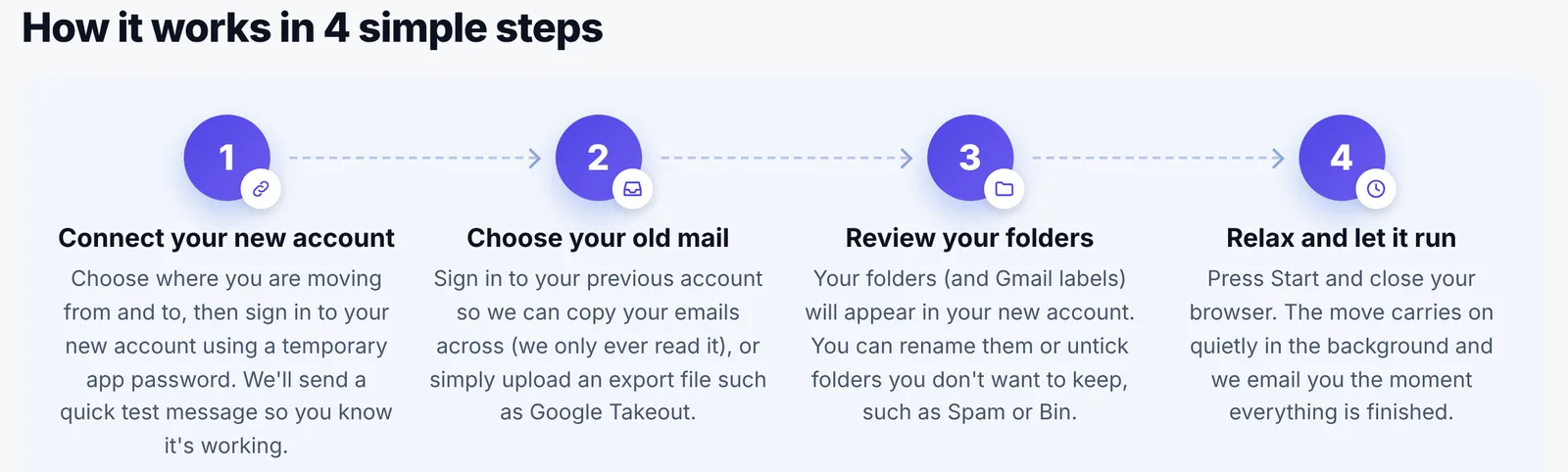
There are four steps. First you connect your new account, and Email move sends a quick test message so you know it's working. Then you sign in to your old account, or choose an export file. Next you review your folders, with the option to rename them or leave out ones you don't want, such as Spam or Bin. Finally you press Start.
Who it's for
Anyone switching email provider. Bring your whole history with you, not just the last few months.
Families and small teams. Move each mailbox in turn, one a month, without paying for a migration service.
People leaving an old mail app behind. Got years of mail in Apple Mail or Thunderbird? Save it as an .mbox file and move it into a proper mailbox.
Good to know
- It's free for subscribers to paulobrien.dev, one move a month, up to 10 GB.
- If you upload a mail file, it's read in your browser first to count your emails and folders, and nothing is sent until you press Start. It's deleted as soon as the move finishes.
- If a move stops and isn't carried on within 2 days, everything kept for it is deleted.
Try it
Email move is on the tools page. Tomorrow it's the Whois lookup, for finding out who's behind a domain.
As always, sharing the love.